Chapter 11 of 40
The TableModel: three times three areas
Header, body, footer – each split into west, center and east. The model only answers questions.
After this chapter you can
- know the nine areas of a table
- ask an area model for row count and values
- understand why the model is lazy
Three area models, three sides
A TableModelIf is not a big array. It consists of three area models – header, body and
footer (AreaIdent) – plus the column definitions. Fixed columns split every row again into
west, center and east (SideIdent). That makes nine areas:
getRowCount(), getValueAt(row, col), getRowHeight(row) …An area model only answers questions
The table never iterates over your data. It asks the area model – and only for the cells that are visible right now:
AreaModelIf.getRowCount()– how many rows?AreaModelIf.getValueAt()– the value in row r, column cAreaModelIf.getRowHeight()– how high is row r?- optional:
AreaModelIf.getColspanAt(),AreaModelIf.getCustomClassesAt(),AreaModelIf.getCellRenderer(),AreaModelIf.isEditable()…
That is why the table is fast with any amount of data – and why you can write your own model (chapter 17 (Own AreaModel)).
export function describeModel(tableModel: TableModelIf): string { const header = tableModel.getAreaModel("header"); const body = tableModel.getAreaModel("body"); const footer = tableModel.getAreaModel("footer"); const rows = `${header.getRowCount()} / ${body.getRowCount()} / ${footer.getRowCount()}`; const firstCustomer = body.getValueAt(0, 2); // row 0, column 2 const left = tableModel.getFixedLeftColumnCount(); const right = tableModel.getFixedRightColumnCount(); return `rows (header/body/footer): ${rows} · ${tableModel.getColumnCount()} columns · ` + `fixed west/east: ${left}/${right} · first customer: ${firstCustomer}`;}See the nine areas
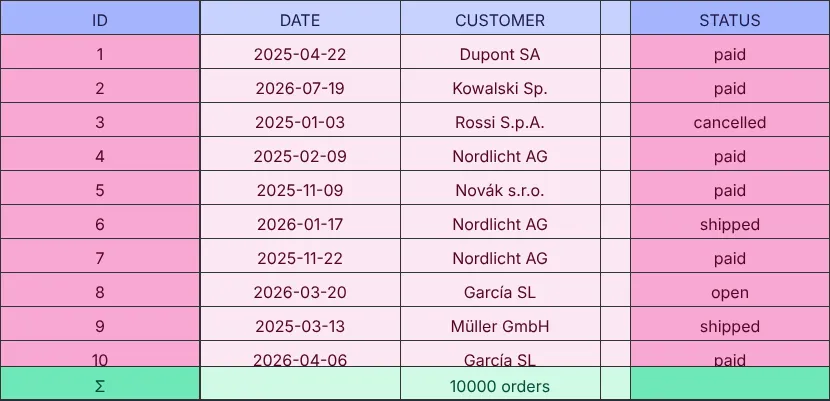
The demo colours every area differently: ID is fixed on the left (west), status on the right (east), a footer row at the bottom.
const tableModel = TableFactory.createTableModel({ rows: orders, properties: ["id", "date", "customer", "country", "city", "product", "quantity", "price", "total", "status"], footerData: [["Σ", "", `${orders.length} orders`, "", "", "", "", "", "", ""]], fixedLeftColumnCount: 1, // west: ID fixedRightColumnCount: 1 // east: status});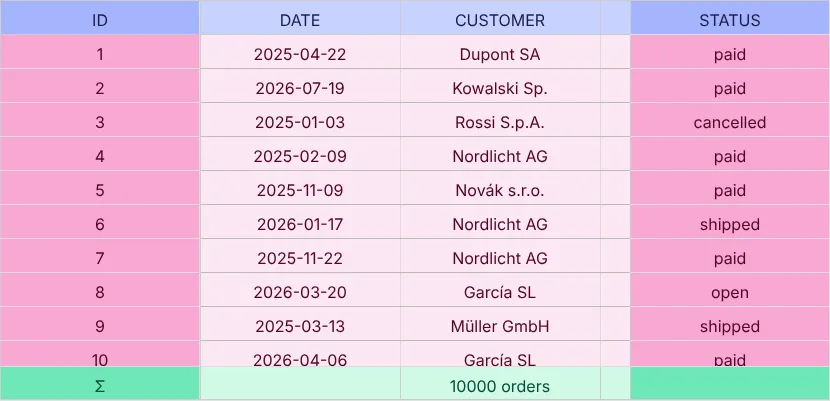
Which classes do what?
| Type | Use it for | Chapter |
|---|---|---|
AreaModelObjectArray | an array of objects – what TableFactory creates for rows | 12 |
AreaModelArrayOfArrays | rows as arrays (CSV, matrices) | 14 |
AreaModelCellGroups | grouped, collapsible headers | 15 |
AreaModel | base class for your own models (footers, millions of rows, server data) | 16, 17 |
AreaModelTree | tree tables | 30 |
Next
The most common case first: an array of typed objects becomes a table – chapter 12 (Array<T> → model).