Chapter 31 of 40
Inline editing
Change quantity and status right in the table – and recalculate what depends on them.
After this chapter you can
- make a column editable
- convert input with editInputPipe
- use a select editor
- react to changes
- fill cells with the fill handle and collect changes until saving (since 1.1.96)
- edit like in Excel: type to overwrite, Enter/Tab, Delete – with undo and redo (since 1.1.99)
Make columns editable
Editing is switched on per column. Three fields of the ColumnDefIf matter:
import { type ColumnDefIf, SelectCellRenderer, TrueFn, ValueLabel, editInputPipeForNumber } from "@guiexpert/table";import type { Order } from "./data/orders";
export function applyOrderEditing(columns: ColumnDefIf[]): void {  const column = (property: keyof Order) => columns.find(c => c.property === property)!;
  const quantity = column("quantity");  quantity.editable = TrueFn;  quantity.editInputPipe = editInputPipeForNumber;             // the input text becomes a number
  const status = column("status");  status.editable = TrueFn;  status.getEditRenderer = () => new SelectCellRenderer(       // a <select> instead of a text input    ["open", "paid", "shipped", "cancelled"].map(s => new ValueLabel(s, s)));}
/** After an edit: recalculate the derived value. */export function recalcOrder(order: Order): void { order.total = Math.round(order.quantity * order.price * 100) / 100;}editable– a function, may depend on the row (() => !locked).editInputPipe– converts the text of the input field before it is written into the model:editInputPipeForNumberturns"12"into12.getEditRenderer– the editor. Default: a text input (InputCellRenderer); here aSelectCellRendererwithValueLabeloptions.
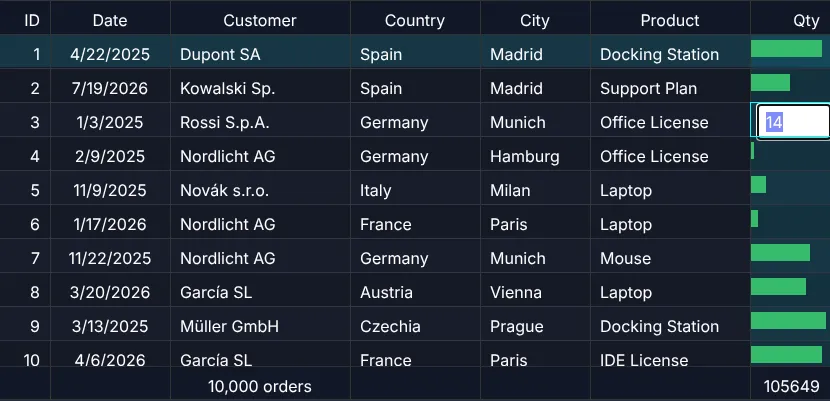
Start editing: double-click a cell, or press F2 on the focused cell. The value is taken over when the editor fires
its change event – Enter or leaving the field for a text input, picking an option for a select.
After the edit
The table writes the new value into your object (via AreaModelIf.setValue()) and reports it:
EventListenerIf.onModelChanged() with a GeModelChangeEvent. This demo updates its derived values by hand – since 1.1.95 a calculated column
(valueGetter, chapter 39 (Calculated columns & formulas)) and footerAggregates follow an edit by themselves:
import { EventAdapter, type GeModelChangeEvent } from "@guiexpert/table";
class EditEvents extends EventAdapter {  constructor(private readonly onEdited: (rowIndex: number, columnIndex: number) => void) {    super();  }  override onModelChanged(evt: GeModelChangeEvent): void {     // after every edit    for (const cell of evt.cells) this.onEdited(cell.rowIndex, cell.columnIndex);  }}
const events = new EditEvents((row, col) => { const order = tableModel.getBodyModel().getRowByIndex(row) as Order; recalcOrder(order); // total = quantity × price (tableModel.getAreaModel("footer") as OrderTotalsFooterModel).invalidate(); // footer: sum again tableApi.repaint();});const tableScope = new TableScope(host, tableModel, new SimpleDomService(), options, events);tableScope.firstInit();const tableApi = tableScope.getApi();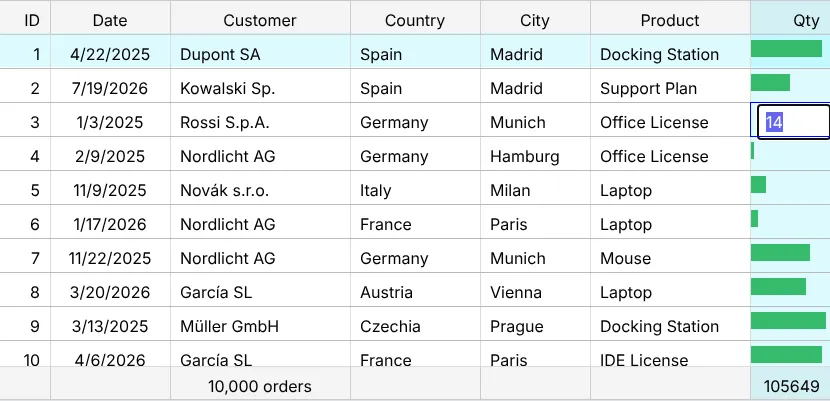
Saving
The table has no notion of a backend. Send the change from onModelChanged – the event contains row and column,
the new value is already in your object – and, if the server rejects it, write the old value back and repaint.
Fill handle and batch edit
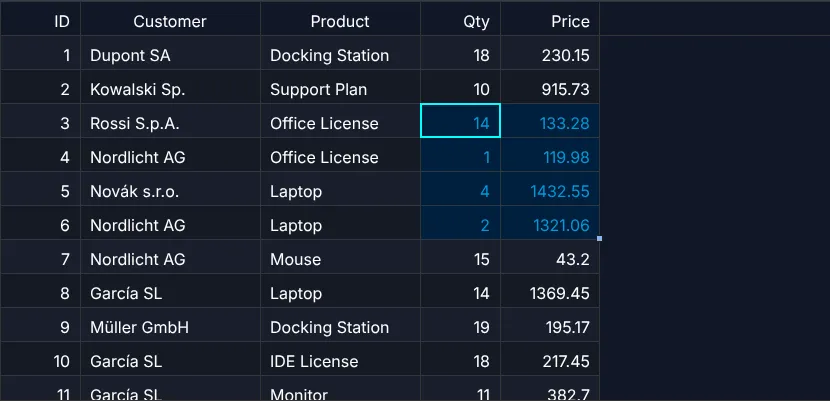
Users who edit a lot want spreadsheet comfort: select cells, drag the small square at the bottom right corner – one value
is copied, two numbers continue as a series, dates count up, Item 9 becomes Item 10. And they
want to look at their changes before anything is saved. Two options switch both on:
fillHandle and batchEdit.
const selectionModel = new SelectionModel("range", "multi"); // the fill handle needs a range selectionconst tableOptions: TableOptionsIf = { ...new TableOptions(), getSelectionModel: () => selectionModel, fillHandle: true, // the square at the corner of the selection batchEdit: true // collect changes until commitBatchEdit()};
Only editable cells are filled, and every value runs through editInputPipe and the new
validate – exactly like a typed value:
const column = (property: keyof Order) => columns.find(c => c.property === property)!;column("date").editable = TrueFn; // "2026-01-05" → "2026-01-06" when filledconst quantity = column("quantity");quantity.editable = TrueFn;quantity.editInputPipe = editInputPipeForNumber;quantity.validate = (value: unknown) => // a message = invalid (marked, blocks saving) Number.isInteger(value) && (value as number) > 0 ? undefined : "A quantity is a whole number > 0";
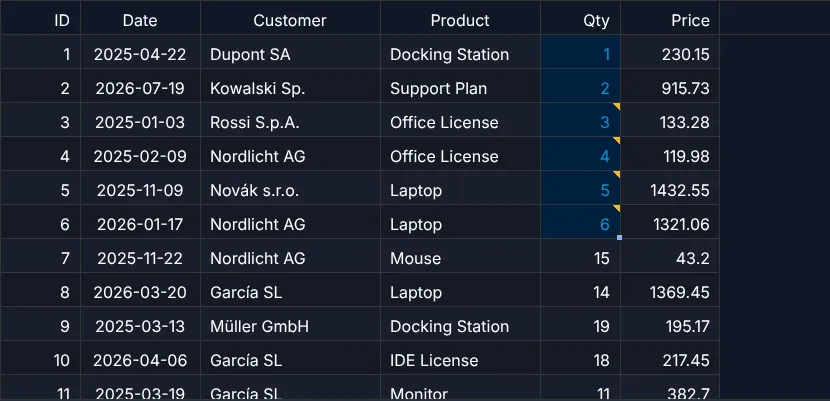
With batch edit the cells show the new values (marked yellow, invalid ones red) while your orders stay as
they are. onBatchEditChanged tells you how many changes
are pending – the moment to enable a "Save" button. TableApi.getPendingChanges() lists them with row,
property, old and new value for your server; TableApi.commitBatchEdit() writes them (one
onModelChanged with all cells), TableApi.cancelBatchEdit() drops them:
const listener = new EventAdapter();listener.onBatchEditChanged = (evt: GeBatchEditEvent) => { ctx.info(evt.pendingCount ? `${evt.pendingCount} unsaved change(s)${evt.invalidCount ? `, ${evt.invalidCount} invalid` : ""}` : "no unsaved changes");};ctx.button("save", () => { const changes = api.getPendingChanges() // row, property, old and new value .map(c => ({ id: (c.row as Order).id, field: c.property, value: c.newValue })); // await fetch("/api/orders", { method: "PATCH", body: JSON.stringify(changes) }); if (!api.commitBatchEdit()) ctx.info("fix the red cells first"); // writes into orders else ctx.info(`saved ${changes.length} change(s)`);});ctx.button("discard", () => api.cancelBatchEdit());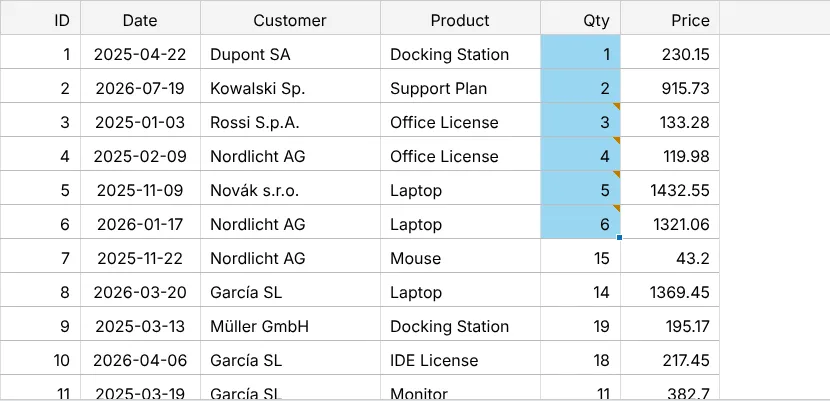
Excel-style editing, paste and undo
Double-click to edit is fine for a status now and then. People who enter data all day expect Excel: select a cell and
type – the text replaces the value; F2 edits it; Enter and Tab write
and move on; Escape drops the change; Delete clears the selection. And they expect
Ctrl+Z. Three options switch it on:
editing, clipboard
and undo.
const selectionModel = new SelectionModel("range", "multi"); // select a block to copy, paste, fill or clearconst tableOptions: TableOptionsIf = { ...new TableOptions(), getSelectionModel: () => selectionModel, editing: { defaultEditable: true }, // type to overwrite, F2 edits, Enter/Tab move, Delete clears clipboard: true, // Ctrl+C / Ctrl+X / Ctrl+V – also from and to Excel undo: true, // Ctrl+Z / Ctrl+Y – edits, paste, cut, fill, clear fillHandle: true // the square at the corner of the selection};
Every change – typed, pasted, cut, filled or cleared – is one undo step and one onModelChanged with all
cells. onUndoStackChanged tells you when to enable your
buttons; TableApi.undo() and TableApi.redo() do the rest. Undo finds the right rows
also after sorting or filtering – it remembers the row objects, not the positions.
const undo = ctx.button("undo", () => api.undo());const redo = ctx.button("redo", () => api.redo());undo.disabled = redo.disabled = true;const listener = new EventAdapter();listener.onUndoStackChanged = (evt: GeUndoEvent) => { undo.disabled = !evt.canUndo; redo.disabled = !evt.canRedo; undo.title = evt.undoLabel ?? ""; // e.g. "Paste"};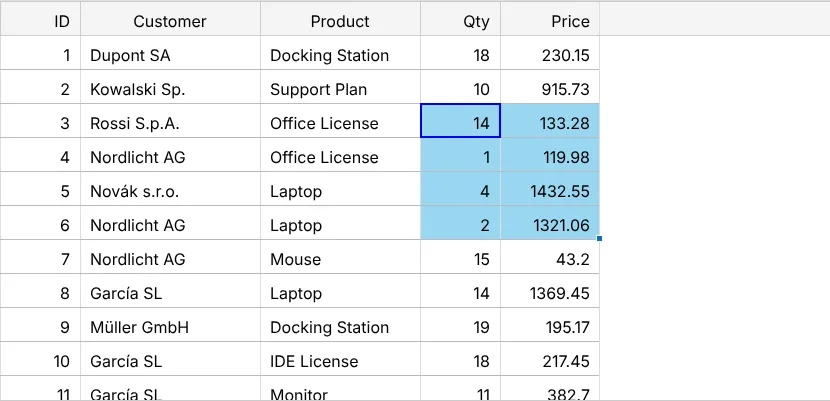
Next
Not the user changes the values, the market does: chapter 32 (Live data).
API used in this chapter
ColumnDefIf.editableColumnDefIf.editInputPipeColumnDefIf.getEditRendererSelectCellRendererValueLabelEventListenerIf.onModelChanged()GeModelChangeEventTableApi.repaint()TableOptionsIf.fillHandleTableOptionsIf.batchEditColumnDefIf.validateTableApi.commitBatchEdit()TableApi.getPendingChanges()TableOptionsIf.editingEditingOptionsIfTableOptionsIf.undoEventListenerIf.onUndoStackChanged()TableApi.undo()TableApi.redo()