Chapter 18 of 40
Fix columns on the left and right
ID stays on the left, Total on the right – 40 columns scroll in between.
After this chapter you can
- fix columns in the model
- know west, center and east
- see horizontal virtual scrolling at work
Fixed columns belong to the model
Two numbers in TableFactory.createTableModel(): fixedLeftColumnCount and
fixedRightColumnCount. The first n columns go to the west side, the last m
to the east side – in header, body and footer.
getRowCount(), getValueAt(row, col), getRowHeight(row) …function createWideOrdersModel(orders: Order[]): TableModelIf { const columns = createOrderColumns(); const total = columns.find(c => c.property === "total")!; const wideColumns: ColumnDefIf[] = [ ...columns.filter(c => c !== total), ...MONTHS.map(m => new ColumnDef(m, m, px90, allRight)), total // total is the last column ]; const tableModel = TableFactory.createTableModel({ rows: widenOrders(orders), columnDefs: wideColumns, fixedLeftColumnCount: 1, // ID stays on the left (west) fixedRightColumnCount: 1, // Total stays on the right (east) footerAreaModel: new OrderTotalsFooterModel( () => tableModel.getBodyModel() as AreaModelObjectArray<Order>, wideColumns) }); return tableModel;}The 30 month columns are generated – 40 columns in total:
// 40 columns: the orders plus 30 months of (made-up) follow-up revenueconst MONTHS = Array.from({ length: 30 }, (_, i) => new Date(Date.UTC(2024, i, 1)).toISOString().slice(0, 7));type WideOrder = Order & Record<string, number | string>;
function widenOrders(orders: Order[]): WideOrder[] {  return orders.map(o => {    const wide: WideOrder = { ...o };    MONTHS.forEach((m, i) => wide[m] = Math.round(o.total * ((o.id * 7919 + i * 104_729) % 97) / 200));    return wide;  });}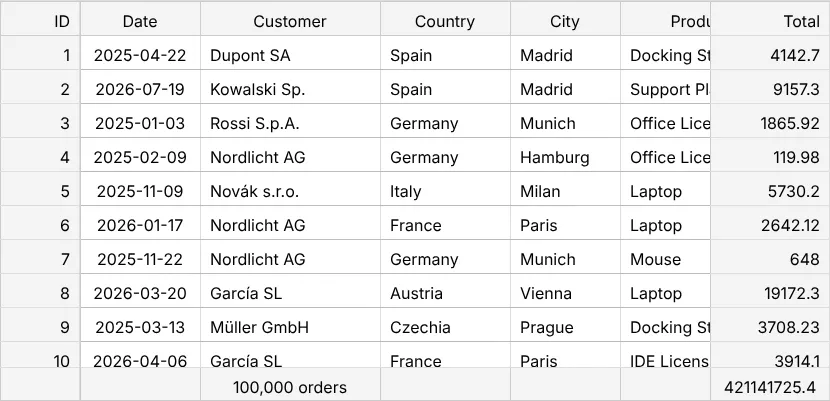
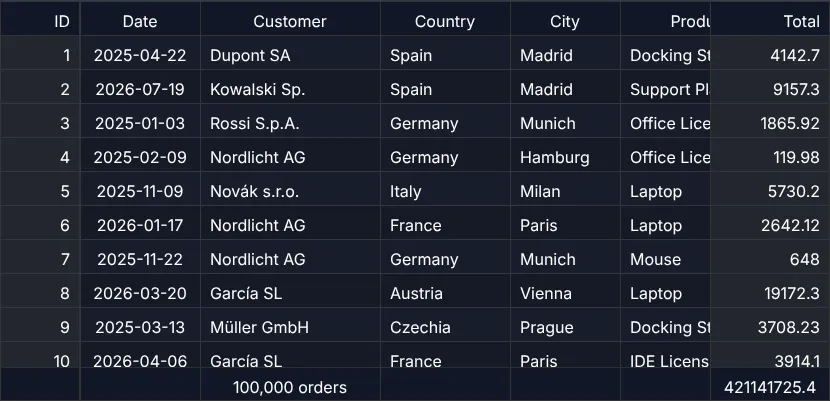
Horizontal virtual scrolling
Look at the DOM count in the toolbar: of 40 columns only the visible ones are rendered. The table virtualises in both directions – that's why a table with 400 columns is as fast as one with 10.
Row numbers – a fixed column for free
The most common fixed column is the row number of a spreadsheet. One flag in
TableFactory.createTableModel() puts a RowNumberColumnDef in front of your columns and
fixes it on the left – fixedLeftColumnCount counts it automatically:
function createNumberedModel(orders: Order[], original: boolean): TableModelIf { return TableFactory.createTableModel({ rows: orders, columnDefs: createOrderColumns(), rowNumbersVisible: { mode: original ? "original" : "display", // "display": 1, 2, 3 … of the view format: n => n.toLocaleString("en-US") // 100,000 } });}- The width follows the largest number –
9,100,000or2,000,000; filter to a few rows and the column gets narrower again. mode: "display"(default) numbers the view 1, 2, 3 … – also after sorting and filtering.mode: "original"keeps the number with its row.RowNumberOptionsIfhas the rest:format,headerLabel,exported,minWidthInPx.- With selection type
"range"a click on a number selects the whole row, Shift-click a block of rows, Ctrl/⌘-click toggles one; a click on#selects all.
const selectionModel = new SelectionModel("range", "multi"); // a click on a number selects the whole rowconst tableOptions: TableOptionsIf = { ...new TableOptions(), getSelectionModel: () => selectionModel, getFocusModel: () => new FocusModel("cell"), externalFilterFunction: (o: Order) => !search || o.city.toLowerCase().includes(search)};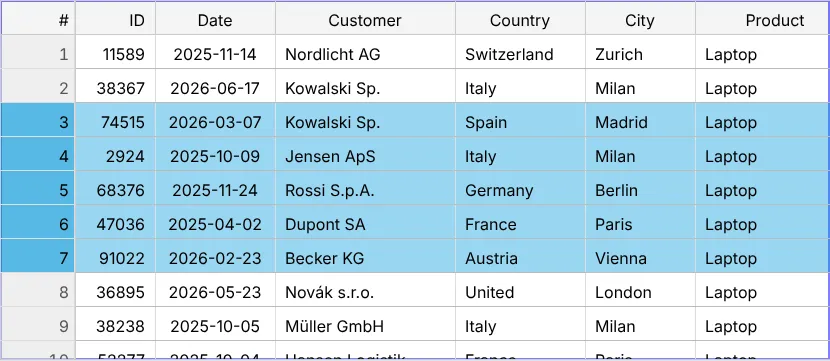
Next
Part 5 starts with the options: chapter 19 (TableOptions).