Chapter 34 of 40
Finale: when GuiExpert Table – and when not
A checklist for your own table and an honest list of what is not built in.
After this chapter you can
- plan a table step by step
- know the strengths
- know when to pick something else
Checklist for your table
- Choose the model –
Array<T>→TableFactory.createTableModel()withrows(chapter 12 (Array<T> → model)), rows of values (chapter 14 (Array of arrays)), an ownAreaModelfor millions of rows or server data (chapter 17 (Own AreaModel)), a tree (chapter 30 (Tree table)). - Columns –
ColumnDeffor label, width and alignment (chapter 13 (ColumnDef)), fixed columns in the model (chapter 18 (Fixed columns)). - Header and footer – groups (chapter 15 (Header groups)), totals of the visible rows
(chapter 16 (Footer totals), since 1.1.94 one option:
footerAggregates). - Options –
{ ...new TableOptions(), … }(chapter 19 (TableOptions)), selection (chapter 22 (Selection & copy)), remembered state (chapter 33 (Persist state)). - Tame the data – sorting (chapter 20 (Sorting)), filtering (chapter 21 (Filtering)), copy (chapter 22 (Selection & copy)), Excel (chapter 24 (Excel export)).
- Looks – renderers (chapter 25 (Cell renderers)), components (chapter 26 (Components as cells)), heatmap (chapter 27 (Heatmap)), theme and right-to-left (chapter 28 (Theming & dark mode)), spans (chapter 29 (Rowspan & colspan)).
- Interaction – events and context menu (chapter 23 (Events & context menu)), editing (chapter 31 (Inline editing)), live data (chapter 32 (Live data)), keyboard and screen readers (chapter 35 (Accessibility)), detail rows below a row (chapter 38 (Master/detail)).
Everything together
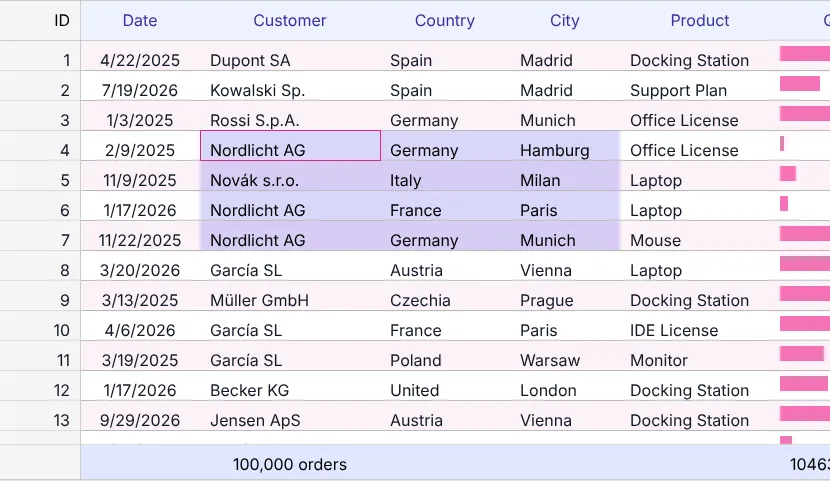
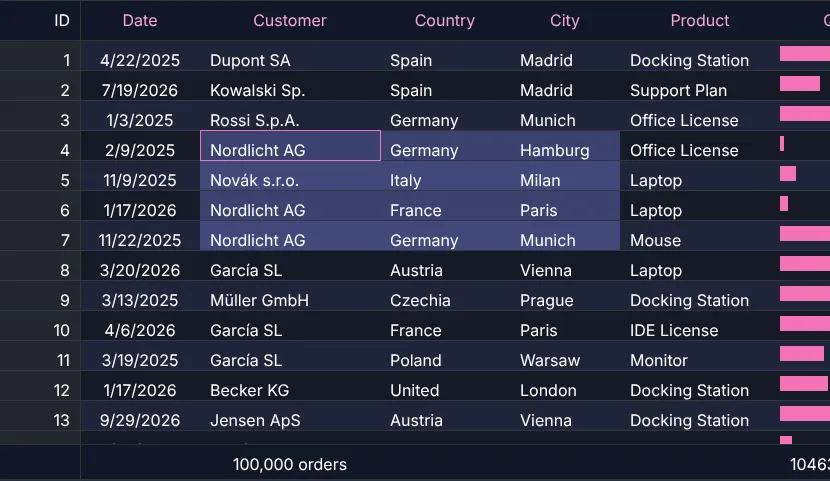
One table with almost every chapter of this training: renderers, footer totals, a fixed ID column, own options, range selection, live search, sorting, context menu, Excel, inline editing, brand theme and remembered state.
A good fit
- Large data sets in the browser: virtual scrolling vertically and horizontally, millions of rows.
- One core for every framework: Angular 14–22, React, Vue 3, Svelte 4/5, Solid, Preact, Web Component, plain JS.
- Full control over HTML and CSS, no runtime dependencies, MIT-licensed – free, also commercially.
Honestly: choose something else if …
- you need a group panel or pivot field list where users drag columns around, or a ready-made server-side row model – row grouping with totals and pivot tables themselves are built in (chapter 36 (Row grouping), chapter 37 (Pivot tables)), the drag & drop UI and the server model you build yourself (chapter 17 (Own AreaModel));
- you want built-in filter rows, column menus or context menus – they are deliberately not included, the UI is yours (chapter 21 (Filtering), chapter 23 (Events & context menu)).
Where to go from here
- API reference – every class, interface and option, with examples.
- Showcases – 20+ complete demos with source.
- Step-by-step demo repository – one git tag per chapter.
- Source code – issues and pull requests welcome.