Chapter 16 of 40
Footer models: totals and key figures
A footer that sums up exactly the rows you see – and follows filter and sorting.
After this chapter you can
- write a footer area model
- sum the filtered rows only once
- find columns by property
- since 1.1.94: totals in one option, sums of the selection
A footer is an area model
footerData (chapter 14 (Array of arrays)) is static. A footer that shows totals of exactly the rows
the user sees is a small class of its own: it extends AreaModel and reads the
displayed rows of the body with AreaModelObjectArray.getFilteredRows() – after filter and
sorting.
The footer model
import { AreaModel, type AreaModelObjectArray, type CellRendererIf, type ColumnDefIf } from "@guiexpert/table";import type { Order } from "./orders";
// Episode 016 – a footer that follows filter and sorting: it reads the rows the body currently shows.export class OrderTotalsFooterModel extends AreaModel {  constructor(    private readonly getBody: () => AreaModelObjectArray<Order>,    private readonly columnDefs: ColumnDefIf[],    private readonly rowHeight = 34) {    super();    this.areaIdent = "footer";  }  override getRowCount(): number { return 1; }  override getRowHeight(_rowIndex: number): number { return this.rowHeight; }
  // Episode 025 – an own area model chooses its renderers itself: here the footer renderer of the column  override getCellRenderer(_rowIndex: number, columnIndex: number): CellRendererIf | undefined {    return this.columnDefs[columnIndex]?.rendererMap?.footer;  }
  private cache?: { rows: Order[]; length: number; qty: number; total: number };
  override getValueAt(_rowIndex: number, columnIndex: number): any {    const t = this.totals();    switch (this.columnDefs[columnIndex]?.property) {     // by property, not by position      case "customer": return `${t.length.toLocaleString("en")} orders`;      case "quantity": return t.qty;      case "total": return Math.round(t.total * 100) / 100;    }    return "";  }
  /** Episode 031 – values changed (editing, live data): sum again on the next repaint. */  invalidate(): void {    this.cache = undefined;  }
// sum once per filter result, not once per repaint private totals() { const rows = this.getBody().getFilteredRows(); if (this.cache?.rows !== rows || this.cache.length !== rows.length) { let qty = 0, total = 0; for (const o of rows) { qty += o.quantity; total += o.total; } this.cache = { rows, length: rows.length, qty, total }; } return this.cache; }}- One row:
getRowCount()returns 1,getRowHeight()its height. - By property, not by position: the switch looks at
columnDefs[columnIndex].property. Hidden or moved columns (chapter 18 (Fixed columns)) don't break it. - Sum once per filter result:
getValueAt()is called for every visible footer cell on every repaint – the cache keeps that cheap even for 100,000 rows. getCellRenderer()lets the footer render the total as euro (chapter 25 (Cell renderers)).
Plug it in
const tableModel = TableFactory.createTableModel({ rows: orders, columnDefs: columns, footerAreaModel: new OrderTotalsFooterModel( () => tableModel.getBodyModel() as AreaModelObjectArray<Order>, columns)});
The footer needs the body model, which only exists after createTableModel – so it gets a
function (() => tableModel.getBodyModel()) instead of the model itself. Pass it as
footerAreaModel (CreateTableModelPara).
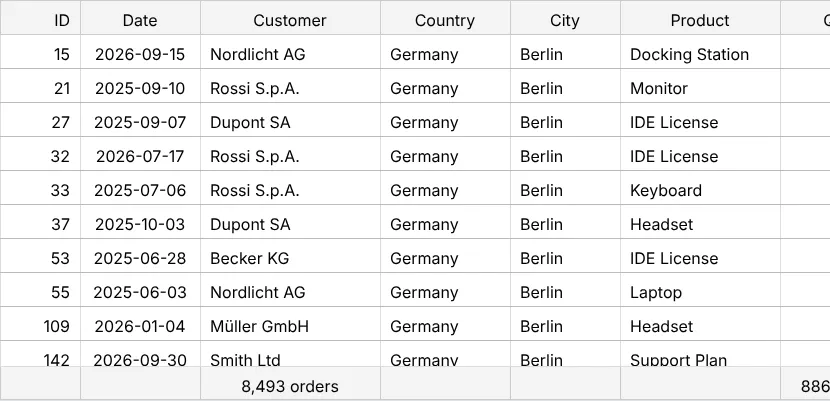
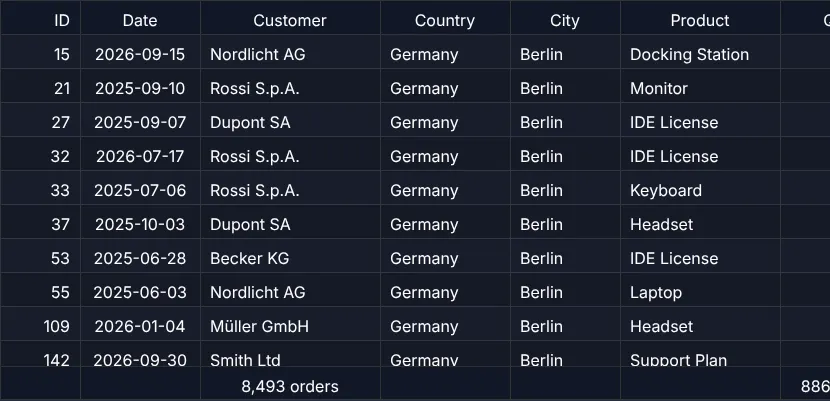
Built in: totals in one option
The footer model above is how it works inside – since 1.1.94 the table has it built in.
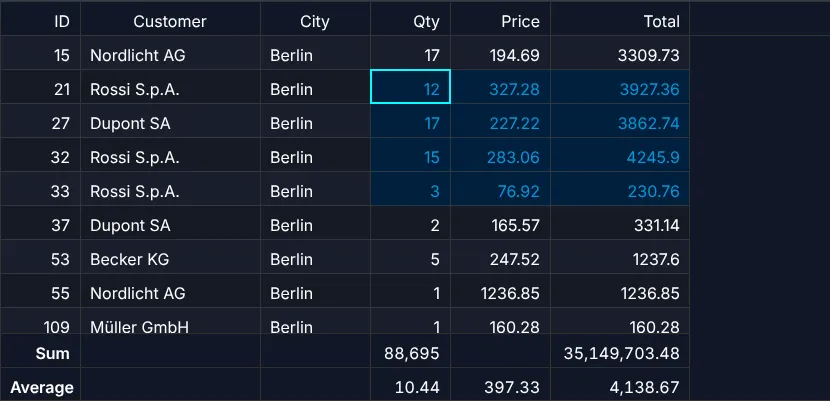
CreateTableModelPara.footerAggregates builds an AreaModelAggregateFooter: the keys
are column properties, the values aggregators – "sum", "count", "avg",
"min", "max", "countDistinct", "first", "last" or your own.
const tableModel = TableFactory.createTableModel({ rows: orders, columnDefs: columns, footerAggregates: [ { label: "Sum", aggregates: { quantity: "sum", total: "sum" } }, { label: "Average", aggregates: { quantity: "avg", price: "avg", total: "avg" } } ]});- Follows filter and sorting like the model above, and computes once per change – never while scrolling.
Filter, sorting, editing,
TableApi.updateCells()andTableApi.repaint()recompute it; noinvalidate()of your own. - Labels:
"100,000 rows"by default in the first column without a total, or your own per row. A short form for one row:footerAggregates: { quantity: "sum", total: "sum" }. - Numbers stay numbers: the footer shows
"27,481,033.5", Excel gets the number (chapter 24 (Excel export)); a footer renderer of the column gets it, too. - The same aggregators without a table:
aggregateColumns.
A status bar for the selection – count, sum and average of the selected cells, like in a spreadsheet – is
TableApi.getSelectionAggregates() in onSelectionChanged:
listener.onSelectionChanged = () => { const a = api.getSelectionAggregates(); // the selected body cells ctx.info(a.capped ? "selection too large" : a.numericCount ? `count ${fmt(a.count)} · sum ${formatAggregateValue(a.sum)} · average ${formatAggregateValue(a.avg)}` : "select cells with numbers – drag, Shift-click, Ctrl+A");};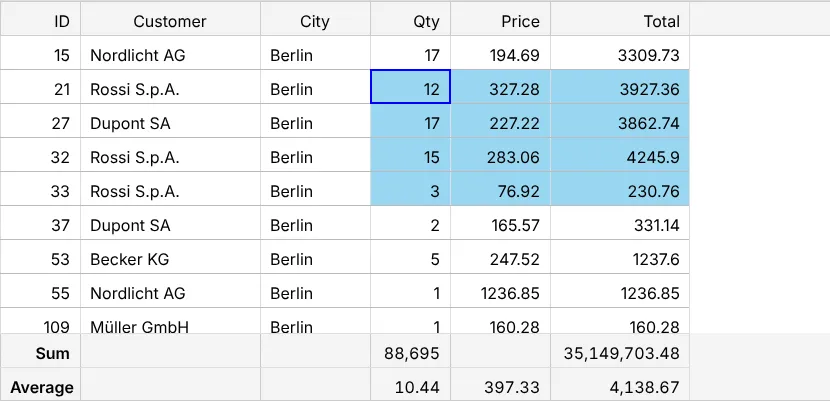
Next
A model without any array behind it – two million rows computed on demand: chapter 17 (Own AreaModel).