Chapter 24 of 40
Excel export without a library
The core writes real .xlsx files – the current view or any data you like.
After this chapter you can
- export what the table shows
- export all rows with your own columns
- know what ends up in the file
Two ways to export
The core contains its own XLSX writer – no SheetJS, no extra dependency. The file is a real Office Open XML workbook,
compressed with the browser's built-in CompressionStream.
import { type AreaModelObjectArray, ExcelService, type TableApi } from "@guiexpert/table";import type { Order } from "./data/orders";
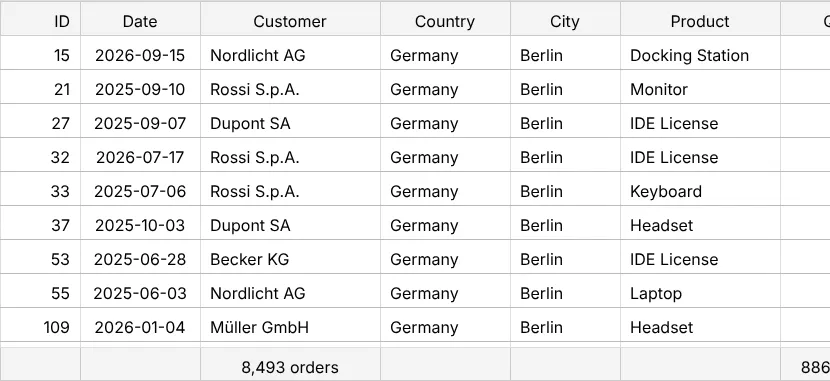
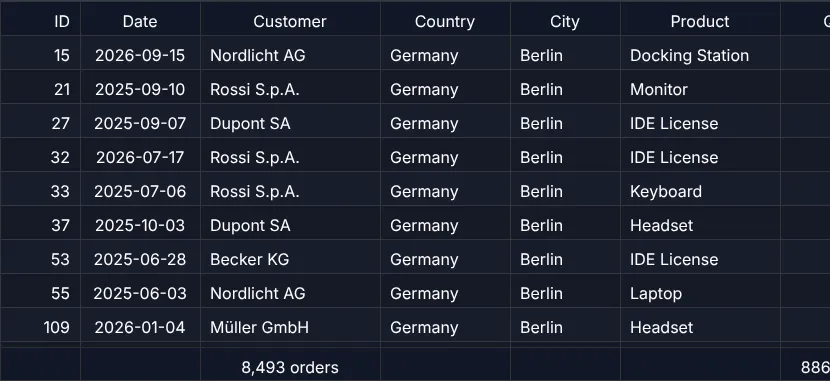
// 1. what the table shows: filtered rows, current sort order, header + footer, visible columnsexport function downloadView(tableApi: TableApi): Promise<void> {  return tableApi.downloadExcel("orders-view.xlsx", "GuiExpert");}
// 2. all orders, ignoring filter and sorting – you choose the columnsexport function downloadAll(tableApi: TableApi): Promise<void> {  const body = tableApi.getBodyModel() as AreaModelObjectArray<Order>;  const matrix = [    ["ID", "Date", "Customer", "Country", "Category", "Total", "Status"],    ...body.getAllRows().map(o => [o.id, o.date, o.customer, o.country, o.category, o.total, o.status])  ];  return new ExcelService().downloadExcel(matrix, "orders-all.xlsx", "GuiExpert");}
TableApi.downloadExcel() | ExcelService.downloadExcel() | |
|---|---|---|
| rows | the current view: filtered, in display order | whatever you pass |
| columns | visible columns | your choice |
| header / footer | included (e.g. the totals of chapter 16) | your first row |
What ends up in the cells
- Numbers stay numbers (you can sum them in Excel), text stays text, ISO dates are text.
- Renderers don't matter: the export uses the values, not the HTML (chapter 25 (Cell renderers)).
- 100,000 rows × 11 columns ≈ 3.9 MB (uncompressed it would be 40 MB).
A Blob instead of a download
To upload the file or attach it to an e-mail, create the Blob yourself with ExcelService.createExcelBlob():
const blob = await new ExcelService().createExcelBlob(matrix, "GuiExpert");await fetch("/api/reports", { method: "POST", body: blob });Next
Part 6 makes the table look good – starting with chapter 25 (Cell renderers).