Chapter 32 of 40
Live data without rebuilding the table
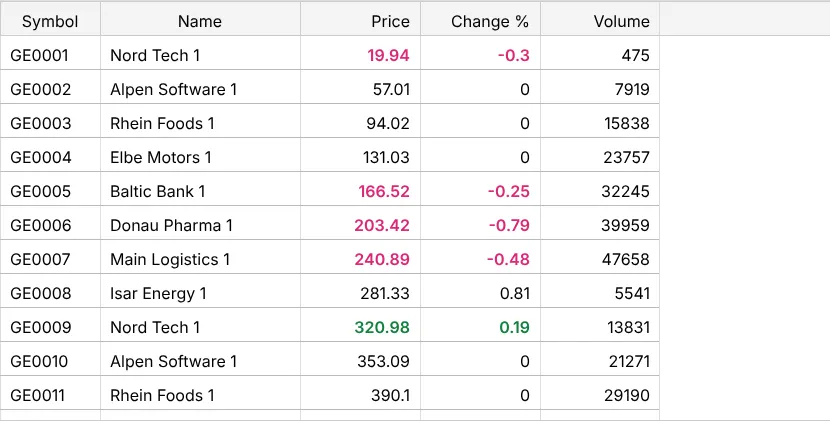
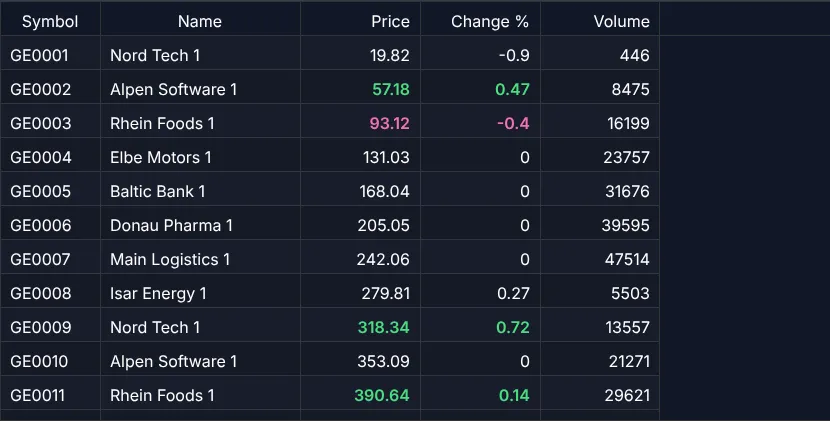
1,500 cell updates per second – only the changed, visible cells are redrawn.
After this chapter you can
- update single cells with updateCells()
- flash a cell with CSS classes
- keep permanent colours in the model
- show a loading spinner and empty states (since 1.1.92)
Many small changes
A ticker, a monitoring view, a trading screen: values change many times per second, but the rows stay the same. Rebuilding the table – or even repainting all visible cells – for every change would waste most of the frame.
updateCells: value + redraw of exactly these cells
import {  ColumnDef, type ColumnDefIf, type TableApi, TableCellUpdateEvent, TableFactory, type TableModelIf,  allRight, bodyLeft, px100, px120, px200} from "@guiexpert/table";
export interface Quote { symbol: string; name: string; price: number; change: number; volume: number }
const QUOTE_COLUMNS: ColumnDefIf[] = [  new ColumnDef("symbol", "Symbol", px100, bodyLeft),  new ColumnDef("name", "Name", px200, bodyLeft),  new ColumnDef("price", "Price", px120, allRight),       // column 2  new ColumnDef("change", "Change %", px120, allRight),   // column 3  new ColumnDef("volume", "Volume", px120, allRight)      // column 4];
export function createQuoteModel(quotes: Quote[]): TableModelIf {  return TableFactory.createTableModel({ rows: quotes, columnDefs: QUOTE_COLUMNS });}
/** One tick: some quotes move – only their cells are updated. Returns the number of changed cells. */export function tick(api: TableApi, quotes: Quote[], moves: number): number { const events: TableCellUpdateEvent[] = []; for (let n = 0; n < moves; n++) { const row = Math.floor(Math.random() * quotes.length); const q = quotes[row]; const price = Math.max(1, Math.round(q.price * (1 + (Math.random() - 0.5) / 50) * 100) / 100); const change = Math.round((price - q.price) / q.price * 10000) / 100; const volume = q.volume + Math.floor(Math.random() * 500); const up = change >= 0; events.push( new TableCellUpdateEvent("body", row, 2, price, { "tick-up": up, "tick-down": !up }), new TableCellUpdateEvent("body", row, 3, change, { "tick-up": up, "tick-down": !up }), new TableCellUpdateEvent("body", row, 4, volume)); } api.updateCells(events); // writes the values into the model, redraws only these cells return events.length;}let cells = 0;let timer = window.setInterval(() => cells += tick(api, quotes, 50), 100); // 50 quotes every 100 ms- A
TableCellUpdateEvent= area, row, column, new value, and optionally CSS classes for this cell. TableApi.updateCells()writes the values into the model and redraws only the affected cells – if they are visible. Cells off screen just get the value and are drawn when you scroll there.updateCells(events, true)repaints the whole table instead.
Where the data comes from
WebSocket, Server-Sent Events, polling – collect the changes and call updateCells once per animation frame or
interval, not once per message. The showcase Crypto does that with real price data.
Loading and empty tables
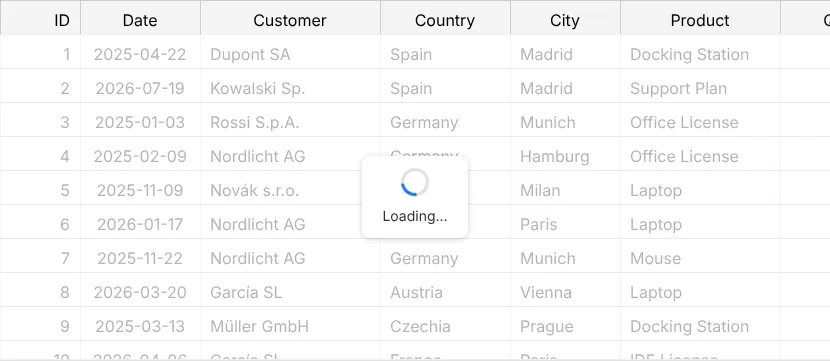
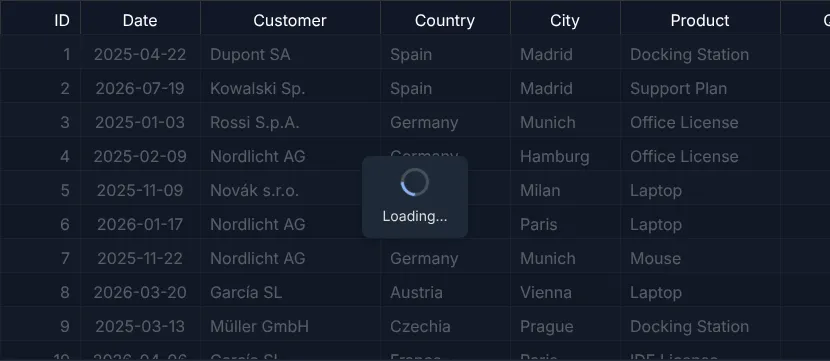
Before the first data arrive, the body is empty – and an empty table looks broken. The table has three overlays for that, plain HTML and CSS (the spinner is a CSS animation, no image, no library):
const tableModel = TableFactory.createTableModel({ rows: [] as Order[], columnDefs: createOrderColumns() });const tableOptions: TableOptionsIf = { ...new TableOptions(), externalFilterFunction: (order: Order) => !customer || order.customer.toLowerCase().includes(customer), overlayOptions: { noRowsText: "No orders yet" } // "No matching rows" and "Loading…" stay English};async function load(answer: Order[]) { tableApi.showLoadingOverlay(); // CSS spinner over the body, the header stays readable try { const orders: Order[] = await (await fetch("/api/orders")).json(); tableApi.setRows(orders); tableApi.repaintHard(); // the row count changed } finally { tableApi.hideOverlay(); // empty answer → "No orders yet" appears by itself }}TableApi.showLoadingOverlay()shows Loading… over the body untilTableApi.hideOverlay(). Rows already shown stay visible under a semi-transparent layer; mouse and editing are blocked meanwhile (blockInteractionWhileLoading).- No rows to show appears by itself when the body is empty, No matching rows when the filter hides
every row –
hideOverlay()does not end them, they describe the body.TableApi.getOverlayState()tells which one is shown. - Texts, a delay against flashing (
loadingDelayInMs) and own content:OverlayOptionsIf. Screen readers hear the texts; the table isaria-busywhile loading.
Next
A table that remembers sorting and scroll position: chapter 33 (Persist state).