Why GuiExpert Table
A lean data grid with everything included – and an honest view of where others go further.
-
Free – really
Every current release is MIT licensed, also for commercial use. No licence key, no watermark, no paid tier for Excel export, range selection or tree tables.
Licence → -
Not tied to a framework
Eight integrations of one core. Models, renderers and options move with you from Angular to React or Svelte – you learn the grid once.
Same code in every framework → -
Nothing hidden
No runtime dependencies, plain DOM elements, CSS variables and readable TypeScript on GitHub. You can debug, style and extend every part.
Source on GitHub →
| GuiExpert Table | ag-Grid Community | ag-Grid Enterprise | |
|---|---|---|---|
| Licence | MIT, free – also commercially | MIT, free | commercial, per developer |
| Excel export | ✔ no extra library | – | ✔ |
| Range selection & clipboard | ✔ copy, cut and paste with Excel, since 1.1.99 | – | ✔ |
| Row grouping with aggregation | ✔ one factory, since 1.1.94 | – | ✔ |
| Pivot tables | ✔ one factory, since 1.1.94 | – | ✔ |
| Server-side row model | – own area model | – | ✔ |
| Filter UI | – your UI, a filter function | ✔ | ✔ |
| Accessibility (WAI-ARIA, keyboard) | ✔ since 1.1.91 | ✔ | ✔ |
| Loading / no rows overlays | ✔ plain CSS, since 1.1.92 | ✔ | ✔ |
| Save & restore state (layout, sorting, selection) | ✔ localStorage or your server, since 1.1.92 | ✔ | ✔ |
| Row numbers | ✔ one flag, since 1.1.93 | – | ✔ |
| Drag rows into order (mouse, touch, keyboard) | ✔ one flag, since 1.1.95 | ✔ | ✔ |
| Fill handle & batch edit (collect, then save) | ✔ two options, since 1.1.96 | – | ✔ |
| Master/detail (expandable detail rows, nested tables) | ✔ one option, since 1.1.97 | – | ✔ |
| Right-to-left (Arabic, Hebrew, Persian) | ✔ one option, since 1.1.98 | ✔ | ✔ |
| Undo / redo of edits | ✔ edits, paste, fill, rows and columns, since 1.1.99 | ✔ | ✔ |
| Paste from the clipboard | ✔ from Excel and Google Sheets, since 1.1.99 | – | ✔ |
| Total rows & aggregation (sum, average …) | ✔ one option, since 1.1.94 | – | ✔ |
| Calculated columns (valueGetter) | ✔ sort, filter, totals and Excel included, since 1.1.95 | ✔ | ✔ |
| Formulas typed by users | ✔ own parser, no eval, since 1.1.95 | – | ✔ |
| Show values as (% of total, running total, rank) | ✔ one option, since 1.1.95 | – | ✔ |
| Spreadsheet cell references (A1) & formula editor | ✔ 70 functions, colored references, no eval, since 1.1.99 | – | ✔ |
| Frameworks | Angular 14 – 22, React, Vue, Svelte, Solid, Preact, Web Component, JS | React, Angular, Vue, JS | React, Angular, Vue, JS |
| Runtime dependencies | none | – | – |
Rule of thumb: need a drag & drop group panel or pivot field list or a server-side row model off the shelf – or a filter UI (already in Community)? ag-Grid Enterprise is further today. Need large data, export, selection and full control over HTML and CSS – in any framework, without licence costs? That is what GuiExpert Table is for.
As of October 2026, based on ag-grid.com (Community vs. Enterprise, Licensing) – check the current terms before you decide. More in chapter 3 of the training.
Everything included
Every feature is part of the MIT-licensed core – in every framework. New in October: fourteen features with code →
Fast at any size
Virtual scrolling in both directions: only visible rows and columns are in the DOM. The rendering cost depends on the viewport, not on your data.
See 2 million rows →One core, every framework
Angular 14 – 22, React, Vue 3, Svelte 4 / 5, Solid, Preact, Web Component and plain JavaScript – the same model, options and API everywhere.
Get started →Flexible models
Flat and tree tables, grouped headers, total rows that follow filter and sorting (sum, average, count …), rowspan and colspan, fixed columns on both sides, row numbers like in a spreadsheet – or a model of your own that computes values on demand.
The table model →Data tools built in
Sorting with own comparators, filtering with your own UI, cell, row, column and range selection, row grouping with totals per group, pivot tables with subtotals and totals, calculated columns and formulas ("[price] * [quantity]", shares of the total, running totals, ranks), master/detail with nested tables, the sum of the selected cells for a status bar, a spreadsheet with A1 cell formulas, copy and paste with Excel and Excel export, loading and "no rows" overlays – without an extra library.
Sorting, filtering, export →Accessible and editable
A WAI-ARIA grid for screen readers and full keyboard navigation, Excel-style editing (type to overwrite, F2, Enter/Tab) with undo and redo, a fill handle and batch edit (collect changes, then save), resizable and movable columns, rows dragged into order (mouse, touch or Ctrl+Alt+↑/↓), live updates – and a table that remembers its layout, sorting and selection, in localStorage or on your server.
Accessibility and editing →Your look
Cell renderers and framework components in cells, heatmaps, CSS variables, light and dark themes, right-to-left for Arabic and Hebrew with one option – full control over HTML and CSS.
Renderers and theming →What's new
Fourteen features in October 2026 – 6 of them are Enterprise features at ag-Grid.
Spreadsheet power
Accessible, friendly, remembers you
All fourteen with code → Training: 40 chapters with live demos → All releases on GitHub →
Get started
One model, one component, a container with a height – the same table in every framework.
npm i @guiexpert/table @guiexpert/react-table
import { GuiexpertTable } from "@guiexpert/react-table";import { GeMouseEvent, TableFactory, TableOptions } from "@guiexpert/table";import "@guiexpert/table/css/main.css";import { orders } from "./orders";
// create model and options once – a new object rebuilds the tableconst tableModel = TableFactory.createTableModel({  rows: orders,  properties: ["id", "customer", "city", "total"]});const tableOptions = new TableOptions();
export function OrderTable() { return ( <div style={{ height: 500 }}> <GuiexpertTable tableModel={tableModel} tableOptions={tableOptions} mouseClicked={(evt: GeMouseEvent) => console.info("row", evt.rowIndex)} /> </div> );} npm i @guiexpert/table @guiexpert/angular-table@22 # major = your Angular major (14 – 22)
import { Component } from "@angular/core";import { TableComponent } from "@guiexpert/angular-table";   // styles includedimport { GeMouseEvent, TableFactory, TableOptions } from "@guiexpert/table";import { orders } from "./orders";
@Component({  selector: "app-order-table",  imports: [TableComponent],                                   // Angular < 19: standalone: true  template: `    <guiexpert-table style="display: block; height: 500px"      [tableModel]="tableModel" [tableOptions]="tableOptions"      (mouseClicked)="onClick($event)"></guiexpert-table>`})export class OrderTableComponent {  readonly tableModel = TableFactory.createTableModel({    rows: orders,    properties: ["id", "customer", "city", "total"]  });  readonly tableOptions = new TableOptions();
onClick(evt: GeMouseEvent): void { console.info("row", evt.rowIndex); }} npm i @guiexpert/table @guiexpert/vue3-table
<script setup lang="ts">import { GuiexpertTable } from "@guiexpert/vue3-table";import { GeMouseEvent, TableFactory, TableOptions } from "@guiexpert/table";import "@guiexpert/table/css/main.css";import { orders } from "./orders";
// plain objects – no ref() needed, the table keeps its own stateconst tableModel = TableFactory.createTableModel({  rows: orders,  properties: ["id", "customer", "city", "total"]});const tableOptions = new TableOptions();const onClick = (evt: GeMouseEvent) => console.info("row", evt.rowIndex);</script>
<template> <div style="height: 500px"> <GuiexpertTable :tableModel="tableModel" :tableOptions="tableOptions" @mouseClicked="onClick" /> </div></template> npm i @guiexpert/table @guiexpert/svelte-table
<script lang="ts">  import { GuiexpertTable } from "@guiexpert/svelte-table";   // Svelte 4 and 5  import { type GeMouseEvent, TableFactory, TableOptions } from "@guiexpert/table";  import "@guiexpert/table/css/main.css";  import { orders } from "./orders";
  const tableModel = TableFactory.createTableModel({    rows: orders,    properties: ["id", "customer", "city", "total"]  });  const tableOptions = new TableOptions();</script>
<div style="height: 500px"> <GuiexpertTable {tableModel} {tableOptions} onMouseClicked={(evt: GeMouseEvent) => console.info("row", evt.rowIndex)} /></div> npm i @guiexpert/table @guiexpert/webcomponent-table
// index.html: <guiexpert-table style="display: block; height: 500px"></guiexpert-table>import { GuiexpertTable } from "@guiexpert/webcomponent-table";import { GeMouseEvent, TableFactory, TableOptions } from "@guiexpert/table";import "@guiexpert/table/css/main.css";import { orders } from "./orders";
customElements.define("guiexpert-table", GuiexpertTable);   // you choose the tag name
const table = document.querySelector<GuiexpertTable>("guiexpert-table")!;table.addEventListener("mouseClicked", e => console.info("row", (e as CustomEvent<GeMouseEvent>).detail.rowIndex)); // bubbling CustomEventstable.data = { tableModel: TableFactory.createTableModel({ rows: orders, properties: ["id", "customer", "city", "total"] }), tableOptions: new TableOptions()}; npm i @guiexpert/table
import { EventAdapter, GeMouseEvent, SimpleDomService, TableFactory, TableOptions, TableScope } from "@guiexpert/table";import "@guiexpert/table/css/main.css";import { orders } from "./orders";
const tableModel = TableFactory.createTableModel({  rows: orders,  properties: ["id", "customer", "city", "total"]});
class Events extends EventAdapter {                // override only the events you need  override onMouseClicked(evt: GeMouseEvent): void { console.info("row", evt.rowIndex); }}
const host = document.querySelector<HTMLDivElement>("#orders")!;   // <div id="orders" style="height: 500px">const tableScope = new TableScope(host, tableModel, new SimpleDomService(), new TableOptions(), new Events());tableScope.firstInit();const tableApi = tableScope.getApi();               // scroll, sort, filter, export …
orders is any array of objects. Solid and Preact work like React –
see the training.
Training: 40 chapters with live demos → Documentation → JSON to TypeScript generator →
More than text in a cell
A cell renderer is one function that receives the cell's element: box plots, sparklines, progress bars, icons – or a component of your framework.
Renderers run only for visible cells, so rich content costs the same at 100 rows as at a million. Sorting, filtering, copying and Excel export still work on the raw values.
The same model drives header groups, tree tables, rowspans and footers with totals. The demo above recalculates and repaints its cells many times per second.
Cell renderers → Components in cells → Live data → Demo models on GitHub →
Showcase
Complete examples – master/detail, pivot tables, row grouping, formulas, a fill handle, right-to-left, heatmaps, trees and timetables. Run them in the browser and read their source.
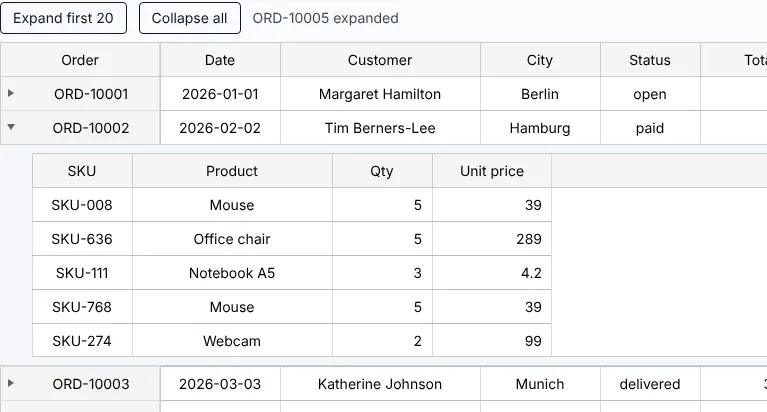
Master/Detail
/showcase/masterdetail/run
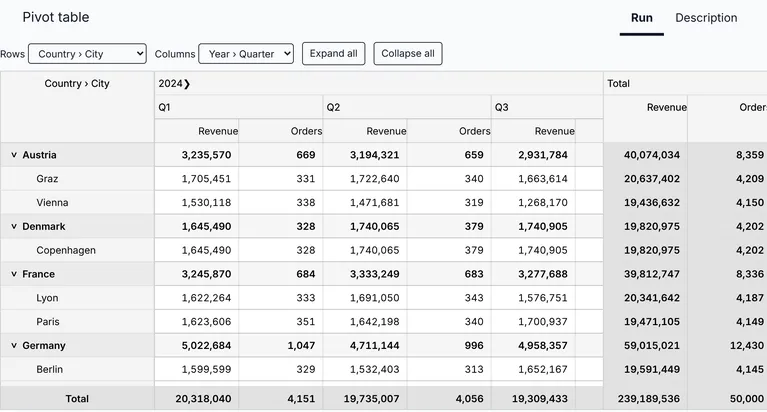
Pivot Table
/showcase/pivot/run
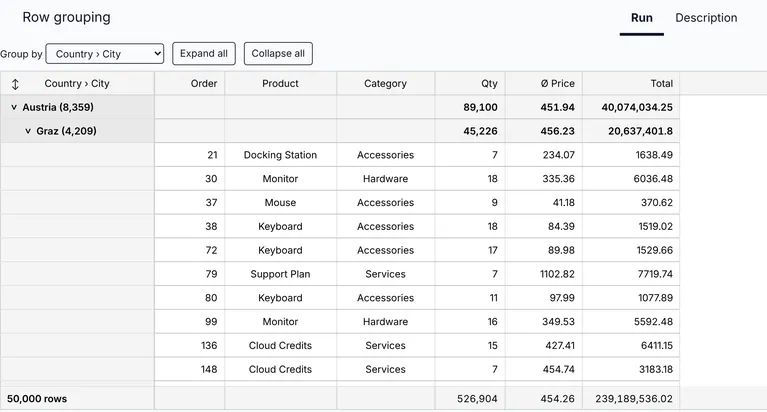
Row Grouping
/showcase/rowgrouping/run
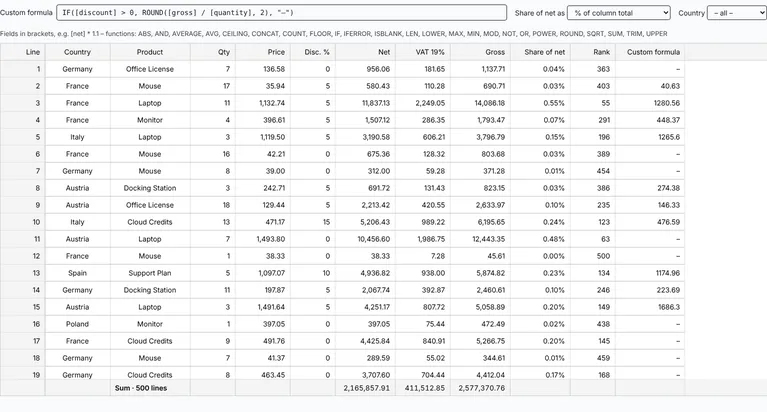
Formulas & Calculated Columns
/showcase/formulas/run
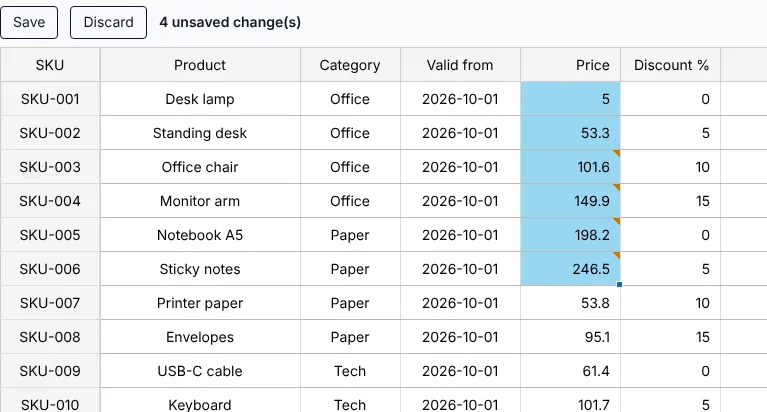
Fill Handle & Batch Edit
/showcase/batchedit/run
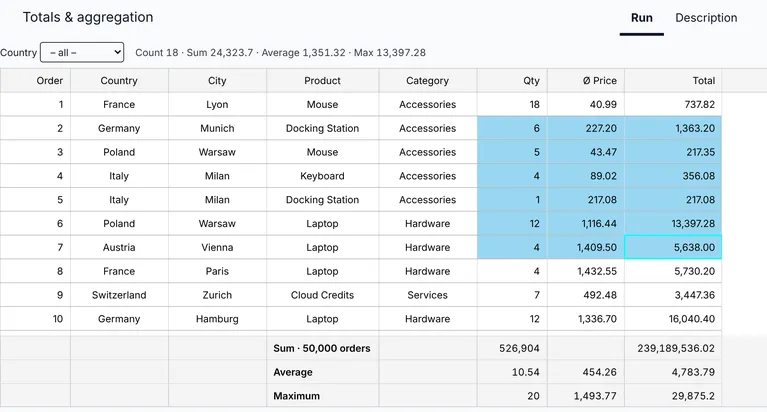
Totals & Aggregation
/showcase/aggregation/run
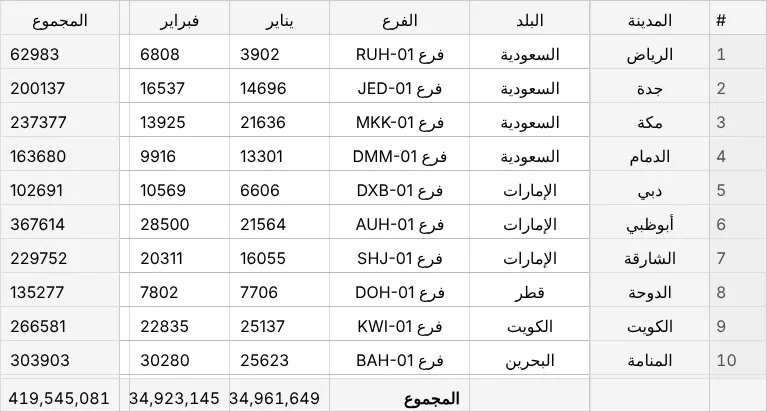
Right-to-Left
/showcase/rtl/run
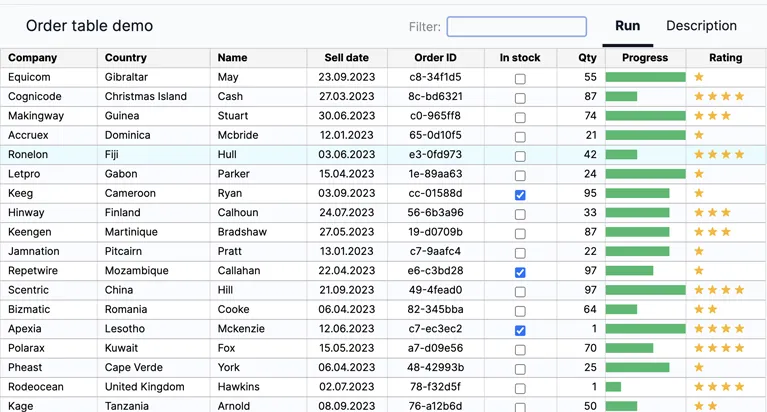
Order Demo
/showcase/order/run
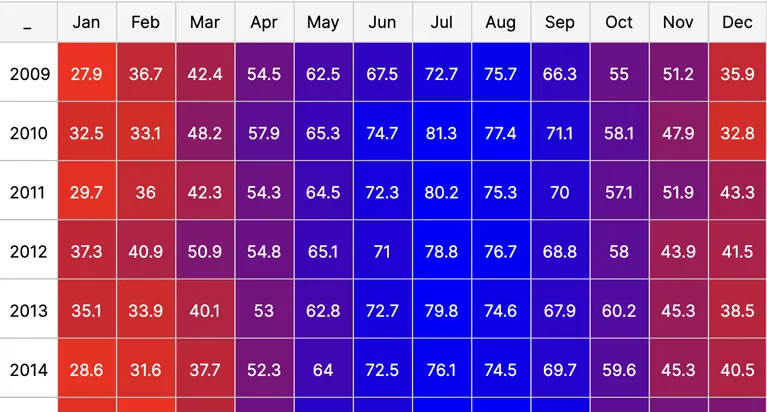
Heatmap Demo
/showcase/heatmap1/run
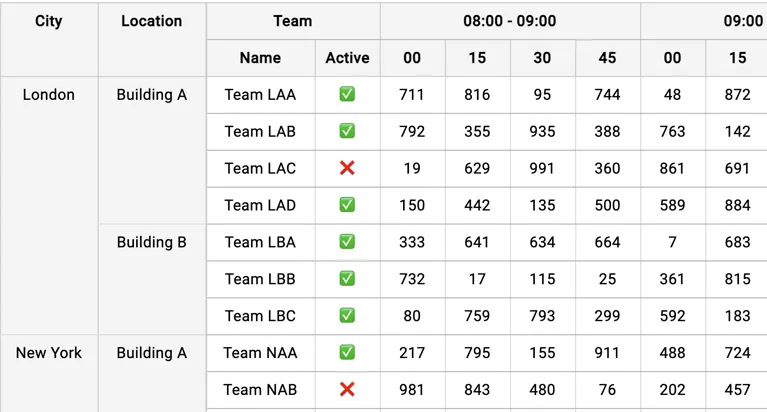
Time Table Demo
/showcase/timetable/run
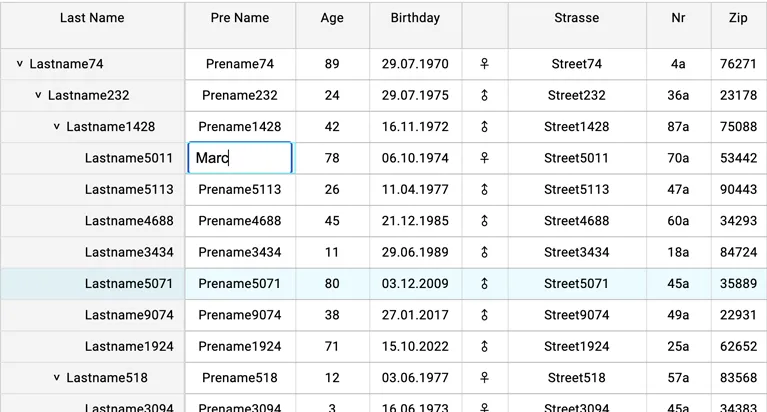
Tree Table Demo
/showcase/treetable/run
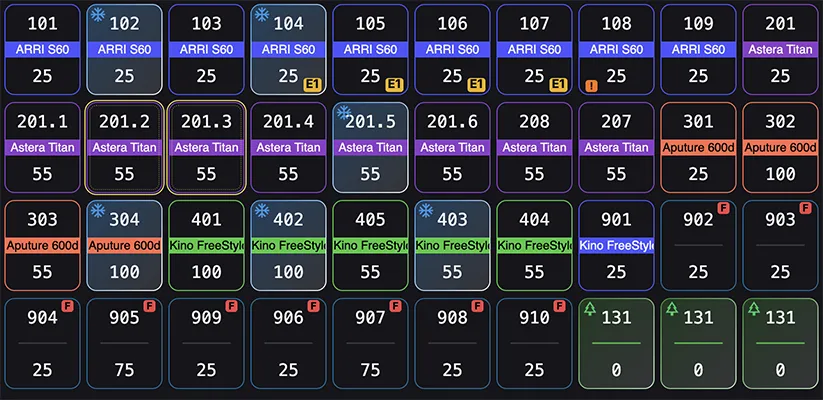
Blackout Demo
/showcase/blackout/run