Free training · 40 chapters
GuiExpert Table
step by step
From “why does my table freeze?” to a table with two million rows, totals, sorting, filtering, Excel export, editing, live data, row grouping, pivot tables, master/detail and formulas – in short chapters with code that runs right on the page.
New since the course
Fourteen features arrived in October 2026 (1.1.91 – 1.1.100). Some got a chapter of their own, the others a section in the chapter where they belong – here is where to find each one. All fourteen with code on one page: What's new.
How it works
Every chapter matches one 60-second episode of the video series and one git tag of the demo repository.
- Read
A problem, the idea behind the solution, and the code – every snippet is taken from the demo that runs on the page.
- Run
Press “Run live demo”: 100,000 orders, two million rows, a live ticker. Change things, measure, compare.
- Check out
The step-by-step repository has a tag per chapter:
git checkout ep-005gives you exactly that state.
git clone https://github.com/krocon/guiexpert-table-step-by-step-demo.gitcd guiexpert-table-step-by-step-demogit checkout ep-005 # the state of chapter 5npm i && npm run dev # → http://localhost:5173The four building blocks
Everything in this training builds on them – in plain TypeScript and in every framework wrapper.
All chapters
Read them in order or jump to what you need – every chapter links to the chapters it builds on and to the API reference.
Foundations
Why big tables are hard – and the trick every fast grid uses.
One <tr> per row works for 100 rows. For 100,000 rows it blocks the browser for minutes.
Chapter 02 Virtual scrolling: draw only what you seeThe trick behind every fast data grid – built by hand in about 20 lines.
Chapter 03 Build it yourself, ag-Grid or GuiExpert Table?A sober comparison – what you get, what you don't, and a rule of thumb.
Getting started
Install the package and render 100,000 rows in a few lines.
One package, one stylesheet, one container with a height.
Chapter 05 Your first table in plain TypeScriptFour building blocks – host element, model, options, TableScope – and 100,000 rows are on screen.
Chapter 06 Without a framework: Web Component and CDNThe table as a custom element – in any HTML page, even without npm and a build step.
Frameworks
One model, one core – React, Vue, Angular, Svelte, Solid, Preact.
The same model, rendered by the React wrapper – with stable props via useMemo.
Chapter 08 GuiExpert Table in Vue 3Plain objects as props, Vue events for everything the table reports.
Chapter 09 GuiExpert Table in Angular 14 to 22One source, nine builds: the package major follows your Angular major.
Chapter 10 One model, every frameworkSvelte 4/5, Solid and Preact – the model stays the same, only the event syntax changes.
The table model
Header, body and footer models, columns, fixed columns, millions of rows.
Header, body, footer – each split into west, center and east. The model only answers questions.
Chapter 12 Array<T> → TableModelTurn typed objects into a table – choose and order the columns, let the compiler check the names.
Chapter 13 Columns with ColumnDefHeader label, width, alignment, visibility – one ColumnDef per column.
Chapter 14 Array of arrays: header, body and footer as dataNo objects needed – CSV rows go straight into the table.
Chapter 15 Header models: multi-row and groupedGroup columns under a common header – and let users collapse the groups.
Chapter 16 Footer models: totals and key figuresA footer that sums up exactly the rows you see – and follows filter and sorting.
Chapter 17 Own AreaModel: two million rows without an arrayThe table only asks for visible cells – so a model can compute values on demand.
Chapter 18 Fix columns on the left and rightID stays on the left, Total on the right – 40 columns scroll in between.
Options & data
Options, sorting, filtering, selection, events and Excel export.
Start with all defaults, change only what you need.
Chapter 20 Sorting: double-click and own comparatorsLocale-aware names, a workflow order for status – and sorting from your own button.
Chapter 21 Filtering with a live searchThe filter UI is yours – the table only asks: show this row?
Chapter 22 Select cells, rows and ranges – and copy themOne selection model per table: cells, rows, columns or ranges, with mouse and keyboard.
Chapter 23 Events and a context menu of your ownOverride only the events you need – and build a context menu that looks exactly like your app.
Chapter 24 Excel export without a libraryThe core writes real .xlsx files – the current view or any data you like.
Look & feel
Renderers, components, heatmaps, themes, spans and trees.
A renderer decides how a cell looks – the value stays the same for sorting, filter, copy and Excel.
Chapter 26 Framework components as cellsA real React or Angular component per cell – created only for visible cells.
Chapter 27 Heatmaps and conditional formattingThe colour comes from the value – computed only for visible cells.
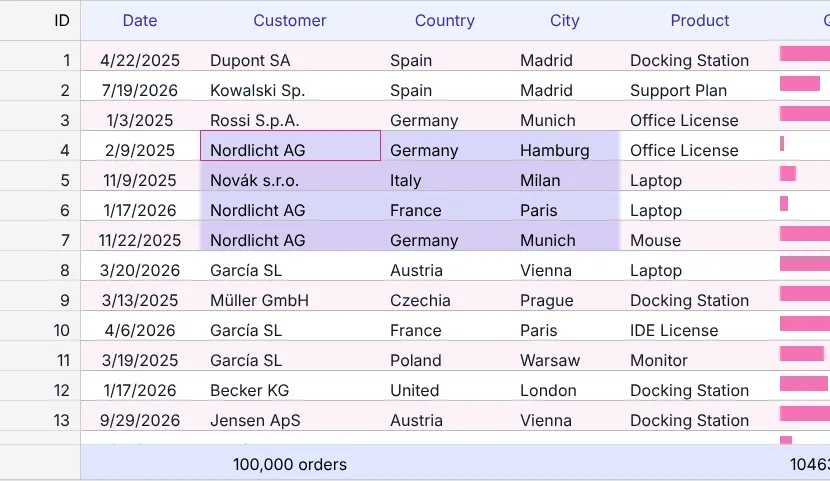
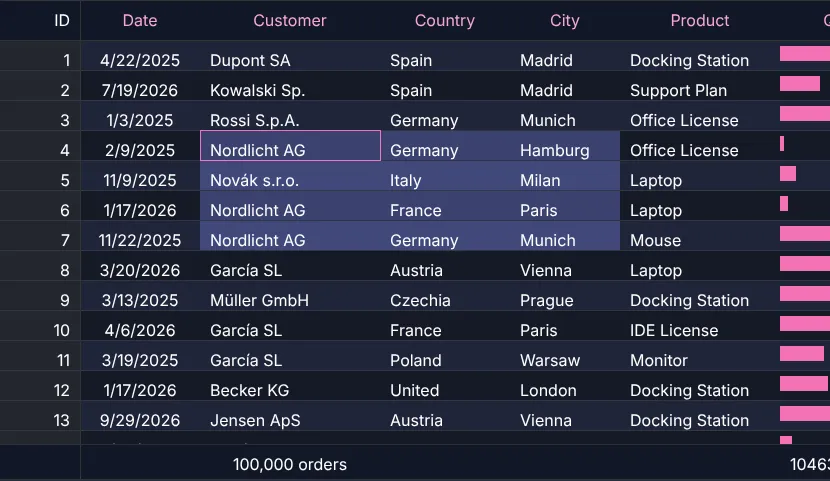
Chapter 28 Theming and dark mode with CSS variablesEverything is a CSS variable – light and dark are built in, your brand is a few lines away.
Chapter 29 Rowspan and colspan: a timetableConnected cells come from the model – double periods span rows, breaks span the week.
Chapter 30 Tree table with checkboxesCountry → customer → order: group your data into a tree and let users check rows.
Interaction & state
Editing, live data and a table that remembers its state.
Change quantity and status right in the table – and recalculate what depends on them.
Chapter 32 Live data without rebuilding the table1,500 cell updates per second – only the changed, visible cells are redrawn.
Chapter 33 Remember the state: sorting, scroll position, open nodesAfter a reload everything looks like before – one localStorage key per table, or your server.
Chapter 34 Finale: when GuiExpert Table – and when notA checklist for your own table and an honest list of what is not built in.
Beyond the basics
Added after the course: accessibility, row grouping, pivot tables, master/detail and formulas.
A screen reader hears “row 5 of 1,001, Total, 243.20” – and every key of the WAI-ARIA grid works.
Chapter 36 Row grouping: totals per country, city or month100,000 flat orders, one factory call – grouped by country and city, with sums per group and a total row.
Chapter 37 Pivot tables: countries × quarters in one call100,000 flat orders become revenue per country, city, year and quarter – with subtotals, totals and a header made from the data.
Chapter 38 Master/detail: an order and its items100,000 orders – open one and its items appear right below it as a second table, also while you scroll far away and back.
Chapter 39 Calculated columns, “Show values as” and formulasNet, VAT, gross, share of the total and rank – computed when a cell becomes visible, without touching the data, and still sortable, filterable and exportable.
Chapter 40 A spreadsheet in the browser: cell formulas, copy & paste, undoColumn letters, row numbers, =SUM(B2:B9), paste from Excel and Ctrl+Z – one call, MIT-licensed, formulas never run as code.
What you build
The finale of chapter 34: one table with almost everything of this training.