Chapter 02 of 40
Virtual scrolling: draw only what you see
The trick behind every fast data grid – built by hand in about 20 lines.
After this chapter you can
- build a vertical virtual scroller yourself
- see why the DOM size no longer depends on the data
- know the limits of the simple approach
The idea
A screen shows maybe 20 rows at a time. So why build 100,000? Virtual scrolling keeps the data in memory and puts only the visible rows into the DOM. When the user scrolls, the same few rows are filled with other data.
- An empty spacer is as high as all rows together – the browser draws a real scrollbar for it.
- On every scroll event: first visible row =
scrollTop / rowHeight, number of rows = viewport height / row height. - Only these rows go into the DOM, moved down by
first × rowHeight.
Built by hand in 20 lines
<div class="viewport"> <!-- overflow: auto; fixed height --> <div class="spacer"></div> <!-- as high as ALL rows → real scrollbar --> <div class="rows"></div> <!-- the few visible rows, position: absolute --></div>const ROW_HEIGHT = 30;
function renderRow(order: Order): HTMLDivElement { const row = document.createElement("div"); row.className = "vs-row"; for (const value of Object.values(order)) { row.appendChild(document.createElement("span")).textContent = String(value); } return row;}
// 1. The spacer is as high as ALL rows together → the browser shows a real scrollbar.function setRowCount(count: number): void { spacer.style.height = `${count * ROW_HEIGHT}px`;}
// 2. On every scroll: which rows are visible? Only those go into the DOM.function render(): void { const first = Math.floor(viewport.scrollTop / ROW_HEIGHT); const visible = Math.ceil(viewport.clientHeight / ROW_HEIGHT) + 1; const rows = orders.slice(first, first + visible); rowsDiv.style.transform = `translateY(${first * ROW_HEIGHT}px)`; // 3. move them to their place rowsDiv.replaceChildren(...rows.map(renderRow));}
viewport.addEventListener("scroll", render);Try it
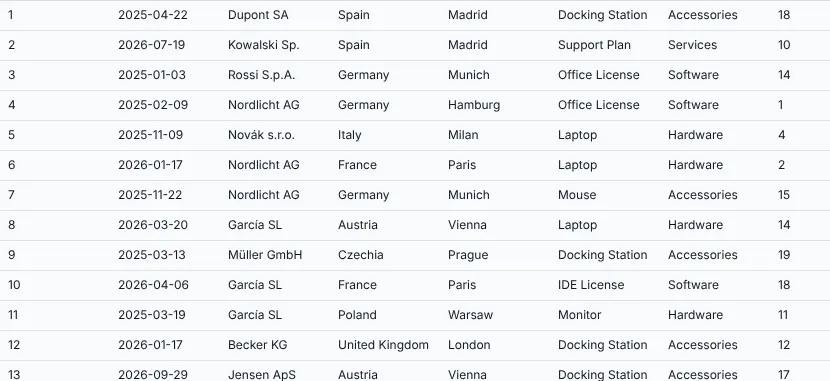
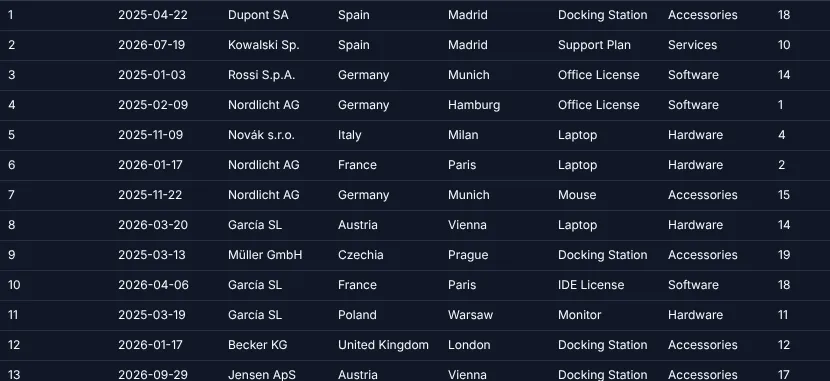
| Rows | DOM elements | Load | Render per scroll step |
|---|---|---|---|
| 100,000 | ≈ 360 | 0.2 s | ≈ 1 ms |
| 1,000,000 | ≈ 360 | 1.1 s | ≈ 1 ms |
Compare that with the 1.2 million DOM elements of the naive table.
Why a library then?
The 20 lines only scroll vertically. Everything else from chapter 1 is still missing – plus a few hard problems:
- Horizontal virtual scrolling – 40 or 400 columns should not all be in the DOM either.
- Fixed header and fixed columns that stay in place while the rest scrolls.
- Different row heights – then
scrollTop / rowHeightno longer works. - Browser limits: 1 million rows × 30 px = 30 million pixels. Chrome allows about 33 million, Firefox much less. A spacer for 2 million rows simply stops working.
- Sorting, filtering, selection, keyboard, copy, export, renderers, editing …
The GuiExpert Table virtualises rows and columns, caps the scroll height so that 2 million rows run
smoothly, and – if all rows have the same height – finds the first visible row in O(1) via
AreaModelIf.getConstantRowHeight() (chapter 17 (Own AreaModel)).
At runtime TableApi.getFirstVisibleRowIndex() tells you which row is at the top.
Next
Build it yourself or use a library – and if a library, which one? chapter 3 (Build, buy or GuiExpert?) compares the options honestly.