Chapter 23 of 40
Events and a context menu of your own
Override only the events you need – and build a context menu that looks exactly like your app.
After this chapter you can
- extend EventAdapter
- tell single from double clicks
- map a displayed row back to your object
- let users drag rows into order (since 1.1.95)
EventAdapter: override what you need
The fifth argument of the TableScope is an EventListenerIf. EventAdapter
implements every method empty – extend it and override only your events:
import { EventAdapter, type GeMouseEvent } from "@guiexpert/table";
export class OrderEvents extends EventAdapter {  constructor(    private readonly onRowDoubleClick: (rowIndex: number) => void,    private readonly onMenu: (evt: GeMouseEvent) => void) {    super();  }
  override onMouseClicked(evt: GeMouseEvent): void {      // rowIndex, columnIndex, areaIdent, clickCount    if (evt.areaIdent === "body" && evt.clickCount === 2) this.onRowDoubleClick(evt.rowIndex);  }
  override onContextmenu(evt: GeMouseEvent): void {    if (evt.areaIdent === "body" && evt.rowIndex > -1) this.onMenu(evt);  }}
A GeMouseEvent tells you where it happened:
| Field | Meaning |
|---|---|
areaIdent, sideIdent | header / body / footer – west / center / east |
rowIndex, columnIndex | the cell (−1 outside of cells) |
clickCount | 1 = click, 2 = double-click |
originalEvent | the browser's MouseEvent (position, modifier keys) |
The other events: onModelChanged (edits, chapter 31 (Inline editing)),
onSelectionChanged (chapter 22 (Selection & copy)),
onCheckboxChanged (chapter 30 (Tree table)),
onScroll, onMouseMoved, onMouseDragging, onFocusChanged.
From the displayed row to your object
rowIndex is the row as displayed – after filter and sorting. Never index your original array with it.
Ask the body model: AreaModelIf.getRowByIndex().
A context menu of your own
There is no built-in context menu – so yours looks and works exactly like the rest of your app. About 30 lines, no library:
export interface MenuItem {  label: string;  action: () => void;}
export function showContextMenu(event: MouseEvent, items: MenuItem[]): void {  event.preventDefault();                                 // no browser menu  closeContextMenu();  const menu = document.body.appendChild(document.createElement("div"));  menu.className = "context-menu";  menu.style.left = `${event.clientX}px`;  menu.style.top = `${event.clientY}px`;  for (const item of items) {    const button = menu.appendChild(document.createElement("button"));    button.textContent = item.label;    button.addEventListener("click", () => { closeContextMenu(); item.action(); });  }}
export function closeContextMenu(): void {  document.querySelector(".context-menu")?.remove();}
document.addEventListener("mousedown", e => {             // close on a click outside …    if (!(e.target as HTMLElement).closest(".context-menu")) closeContextMenu();});document.addEventListener("keydown", e => e.key === "Escape" && closeContextMenu());   // … and on Escape
Wire events, menu and API together:
const orderAt = (rowIndex: number) => tableModel.getBodyModel().getRowByIndex(rowIndex) as Order;   // displayed row → objectconst showOrder = (o: Order) => info.textContent = `#${o.id} · ${o.customer} · ${o.quantity} × ${o.product}`;
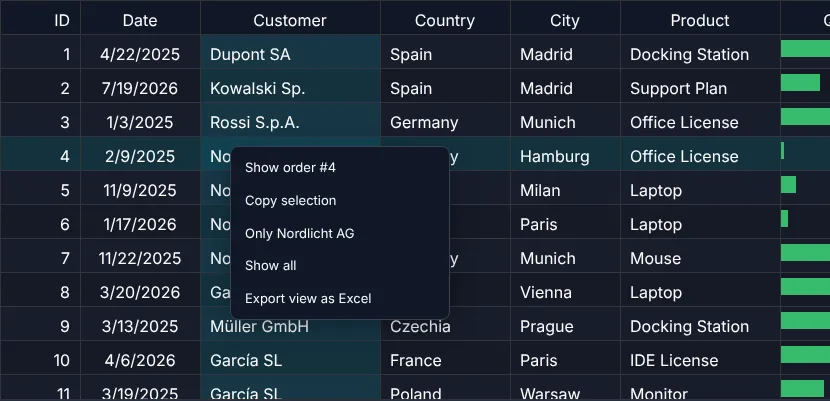
const events = new OrderEvents(row => showOrder(orderAt(row)), evt => {  const order = orderAt(evt.rowIndex);  showContextMenu(evt.originalEvent!, [    { label: `Show order #${order.id}`, action: () => showOrder(order) },    { label: "Copy selection", action: () => tableApi.copyToClipboard() },    { label: `Only ${order.customer}`, action: () => { query = order.customer; tableApi.externalFilterChanged(); } },    { label: "Show all", action: () => { query = ""; tableApi.externalFilterChanged(); } },    { label: "Export view as Excel", action: () => tableApi.downloadExcel("orders.xlsx", "GuiExpert") }  ]);});const tableScope = new TableScope(host, tableModel, new SimpleDomService(), options, events);tableScope.firstInit();const tableApi = tableScope.getApi();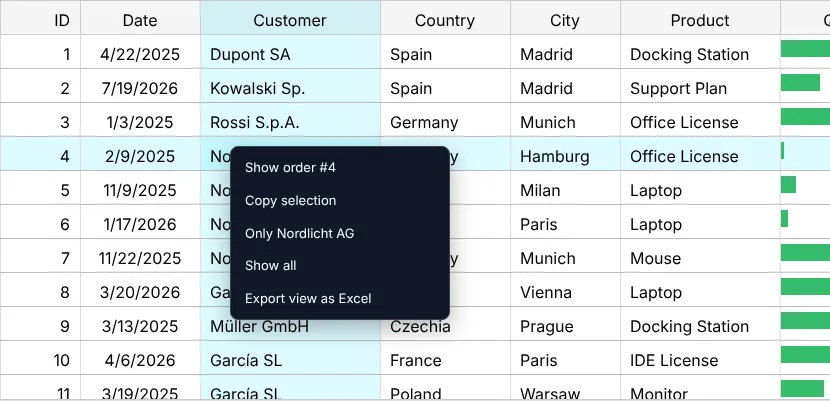
Dragging rows into order
A priority list, a playlist, the steps of a process: users want to put rows in order themselves. Give a column a drag
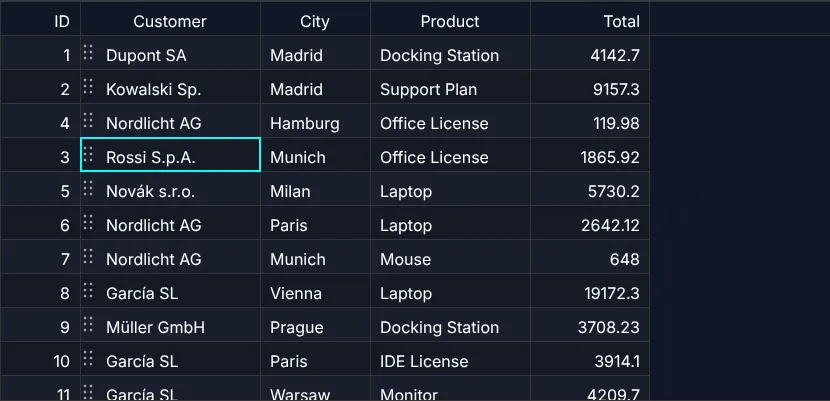
handle – rowDrag – and the table does the rest: ghost, drop marker,
auto-scroll at the edges (also through millions of rows), mouse, touch and pen, Escape cancels.
const customer = columns.find(c => c.property === "customer")!;customer.rowDrag = true; // the grip (factory shortcut: rowDrag: true)const tableModel = TableFactory.createTableModel({ rows: orders, columnDefs: columns });
The table moves the rows in your array and then calls onRowDragEnd
with a GeRowDragEvent – the place to save the new order:
const listener = new EventAdapter();listener.onRowDragEnd = (evt: GeRowDragEvent<Order>) => { if (evt.moved) { // orders has the new order – save it here ctx.info(`order ${evt.rows[0].id} → position ${evt.toIndex + 1}`); } else if (evt.type === "cancel") { ctx.info("cancelled (Escape)"); }};Dragging is not for everyone: Ctrl+Alt+↑/↓ moves the focused row, and screen readers hear "Row moved to position 4 of 1000". Two buttons do the same for users who cannot drag:
ctx.button("move up", () => api.triggerAction("MOVE_ROW_UP")); // like Ctrl+Alt+↑ on the focused rowctx.button("move down", () => api.triggerAction("MOVE_ROW_DOWN")); // like Ctrl+Alt+↓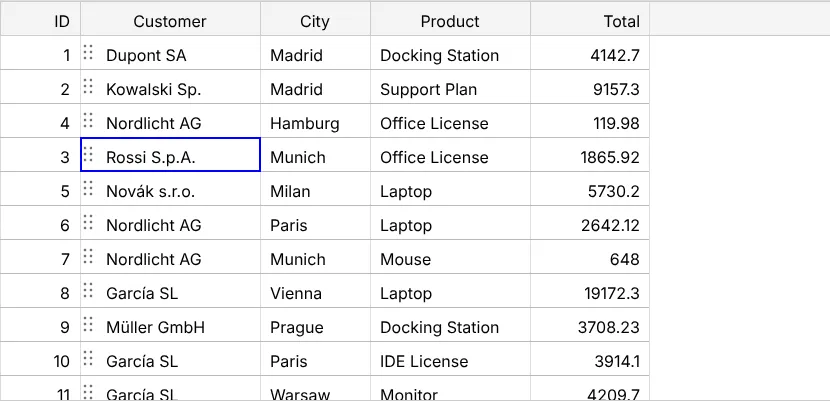
In the framework wrappers
The same events arrive as props or outputs: mouseClicked, contextmenu, selectionChanged, rowDragEnd …
(chapter 10 (Svelte, Solid, Preact)).
Next
The menu's last entry exports to Excel – how that works: chapter 24 (Excel export).