Chapter 33 of 40
Remember the state: sorting, scroll position, open nodes
After a reload everything looks like before – one localStorage key per table, or your server.
After this chapter you can
- switch on autoRestoreOptions
- remember expanded tree nodes
- choose a storage key
- remember the column layout, checked and selected rows (since 1.1.92)
- save the state on your server (since 1.1.92)
Switch it on
TableOptionsIf.autoRestoreOptions stores the state of a table in localStorage and restores it on
the next start. Start from AutoRestoreOptions and switch on what you need:
import { AutoRestoreOptions, TableOptions, type TableOptionsIf } from "@guiexpert/table";import type { Order } from "./data/orders";
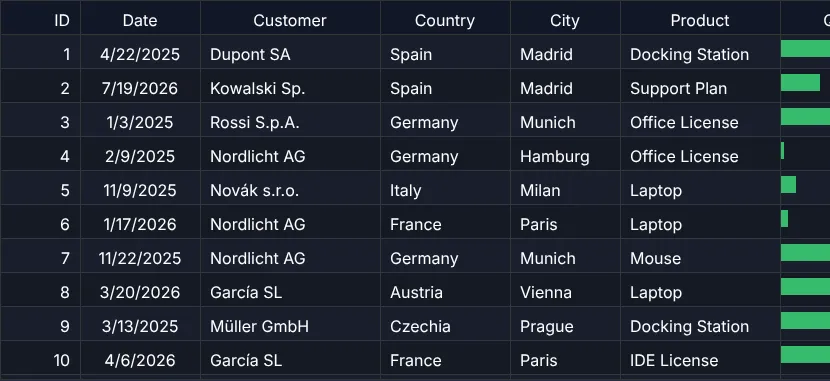
export function createOrderTableOptions(): TableOptionsIf {  return {    ...new TableOptions(),    autoRestoreOptions: {      ...new AutoRestoreOptions<Order>(),      getStorageKeyFn: () => "ge-demo-orders",          // one key per table (localStorage)      autoRestoreSortingState: true,      autoRestoreScrollPosition: true,      autoRestoreColumnLayout: true                     // widths, order, hidden columns (since 1.1.92)    }  };}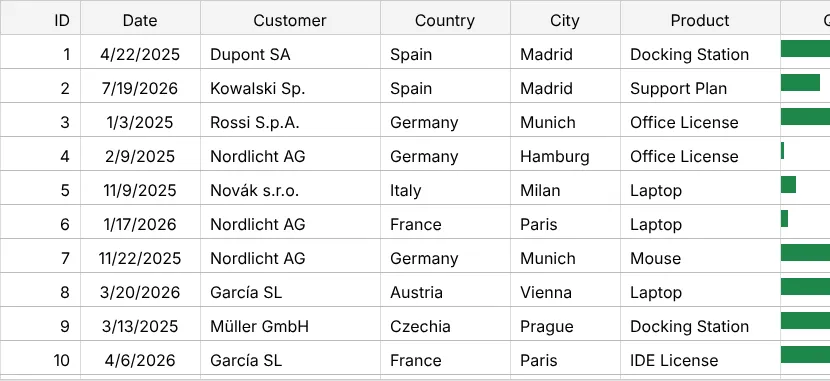
What can be remembered
| Option | Remembers |
|---|---|
autoRestoreSortingState | sorted columns and direction (incl. the header icon) – by property |
autoRestoreScrollPosition | scroll position (and the first visible row) |
autoRestoreCollapsedExpandedState | expanded / collapsed nodes of a tree – by getRowId |
autoRestoreColumnLayout | width of resized columns, column order, hidden columns (1.1.92) |
autoRestoreHeaderGroupState | collapsed header groups (1.1.92) |
autoRestoreCheckedState | checked rows – by getRowId (1.1.92) |
autoRestoreSelectedState | selected rows, columns or ranges (1.1.92) |
autoRestoreCustomState | your own data, e.g. a filter text: TableApi.setCustomState() (1.1.92) |
Columns are stored by their property and rows by their id – never by position. A column the user moved is still the right column after a reload, and checked rows stay checked when the server sends them in another order.
For trees (chapter 30 (Tree table)) and checked or selected rows the table needs a stable id per row:
autoRestoreOptions: { ...new AutoRestoreOptions<OrderNode>(), getStorageKeyFn: () => "ge-demo-order-tree", getRowId: node => node.id, // "Czechia", "Czechia/Becker KG", "4711" autoRestoreCollapsedExpandedState: true, autoRestoreScrollPosition: true}Your own storage – or your server
The same state is available as plain JSON: TableApi.getState() reads it,
TableApi.applyState() applies it, TableOptionsIf.initialState starts with it and
EventListenerIf.onStateChanged() reports every change – once, after the user stopped dragging or
scrolling. That is all you need to keep the layout per user on your server:
const listener = new EventAdapter();listener.onStateChanged = (evt: GeStateChangeEvent) => { ctx.info(`changed: ${evt.changedParts.join(", ")} – stored`); // or: fetch("/api/prefs", { method: "PUT", … })};const saved = await (await fetch("/api/prefs/orders")).json(); // TableStateIf | nullconst tableOptions: TableOptionsIf = { ...new TableOptions(), initialState: saved ?? undefined };A “reset layout” button is one line – it also deletes the stored state:
ctx.button("reset layout", () => { tableApi.resetState(); // layout of the code, stored state removed});
sessionStorage instead of localStorage? Set storage: sessionStorage in the
auto-restore options (or any object with getItem, setItem, removeItem).
The state holds no cell values – but row ids can be personal data (an e-mail address as id); prefer technical ids.
Next
The finale of the course: a checklist for your own table – and when to choose something else. chapter 34 (Checklist & finale).