Chapter 12 of 40
Array<T> → TableModel
Turn typed objects into a table – choose and order the columns, let the compiler check the names.
After this chapter you can
- use TableFactory.createTableModel with rows and properties
- type the property list
- know the other factory methods
Choose the columns with properties
In chapter 5 (First table) every key of the first row became a column. Usually you want a selection, in a
certain order. TableFactory.createTableModel() takes the list as properties:
import { TableFactory, type TableModelIf } from "@guiexpert/table";import type { Order } from "./data/orders";
const ORDER_PROPERTIES: (keyof Order)[] =  ["id", "date", "customer", "country", "product", "quantity", "total", "status"];
export function createOrdersModel(orders: Order[]): TableModelIf { return TableFactory.createTableModel({ rows: orders, properties: ORDER_PROPERTIES });}- Only
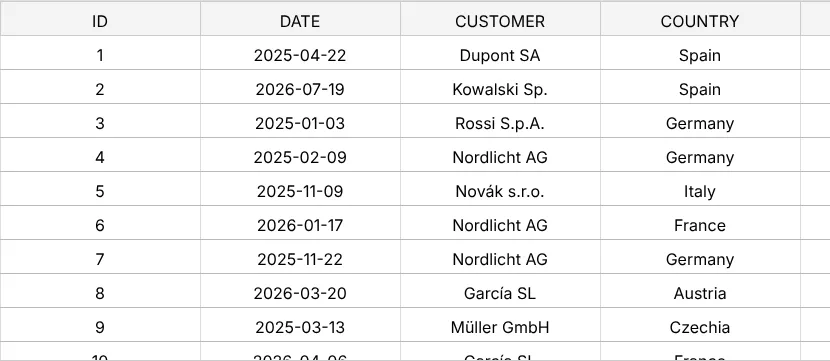
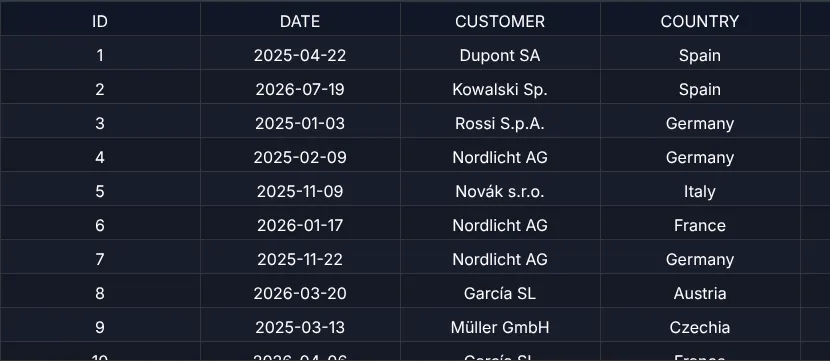
rows→ every key of the first row is a column (chapter 5 (First table)). properties→ selection and order of the columns.(keyof Order)[]→ a typo in a column name is a compile error, not an empty column.- The header label is the property in upper case. Own labels, widths and alignment: chapter 13 (ColumnDef).
What else createTableModel accepts
TableFactory.createTableModel() is the universal entry point. It takes a partial
CreateTableModelPara – the most important fields:
| Field | Meaning | Chapter |
|---|---|---|
rows, properties | array of objects, column selection | 12 |
columnDefs | full column definitions | 13 |
headerData, bodyData, footerData, columnSizes | areas as 2-D arrays | 14 |
headerAreaModel, bodyAreaModel, footerAreaModel | your own area models | 15–17 |
fixedLeftColumnCount, fixedRightColumnCount | fixed columns | 18 |
tableOptions, defaultRowHeights | row heights from the options | 19 |
Other factory methods
// rows + column definitions (+ options, fixed columns)TableFactory.buildByTypedRows<Order>(orders, columnDefs, tableOptions, fixedLeft, fixedRight);// rows + header/footer rows as dataTableFactory.createByObjectArray<Order>(orders, headerRows, footerRows, fixedLeft, fixedRight, …);// three area models of your ownTableFactory.createByAreaModels(headerModel, bodyModel, footerModel, fixedLeft, fixedRight, …);See TableFactory.buildByTypedRows(), TableFactory.createByObjectArray() and
TableFactory.createByAreaModels() for all parameters.
Next
Header labels, widths, alignment and hidden columns: chapter 13 (ColumnDef).