Chapter 05 of 40
Your first table in plain TypeScript
Four building blocks – host element, model, options, TableScope – and 100,000 rows are on screen.
After this chapter you can
- create a table from an array of objects
- know the four building blocks
- scroll from code with the TableApi
Four building blocks
Every GuiExpert Table – in plain TypeScript and inside every framework wrapper – is made of the same four parts. The wrappers of part 3 do exactly this for you.
- A host element – an empty
<div>with a fixed height (see chapter 4 (Installation)). - A table model – what to show.
TableFactory.createTableModel()builds one from an array of objects. - Options – how it behaves:
TableOptionsholds all defaults. - A
TableScope– it connects the three, renders the table and handles mouse and keyboard. It also needs a DOM service (SimpleDomService) and an event listener (EventAdapter, details in chapter 23 (Events & context menu)).
The code
Test data: createOrders(n) creates n orders – always the same ones, from a fixed seed. Every chapter of this training uses them.
import { EventAdapter, SimpleDomService, TableFactory, TableOptions, TableScope } from "@guiexpert/table";import { createOrders } from "./data/orders";
const orders = createOrders(100_000);                 // 100,000 plain objects
const host = document.querySelector<HTMLDivElement>(".table-div")!;const tableModel = TableFactory.createTableModel({ rows: orders });const options = { ...new TableOptions() };const tableScope = new TableScope( host, tableModel, new SimpleDomService(), options, new EventAdapter());tableScope.firstInit();export interface Order { id: number; date: string; // ISO date, e.g. "2026-03-14" customer: string; country: string; city: string; product: string; category: string; quantity: number; price: number; total: number; status: "open" | "paid" | "shipped" | "cancelled";}
Without columnDefs, the factory turns every key of the first row into a column and uses the key in
upper case as header label. Own labels, widths and alignment follow in chapter 12 (Array<T> → model) and
chapter 13 (ColumnDef).
The result
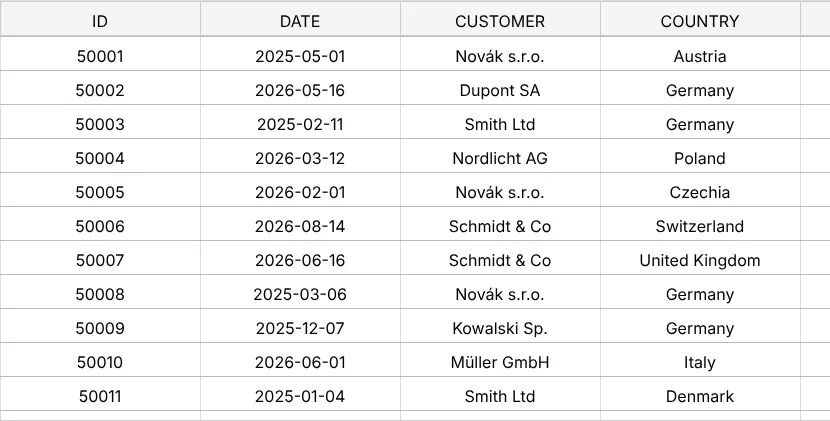
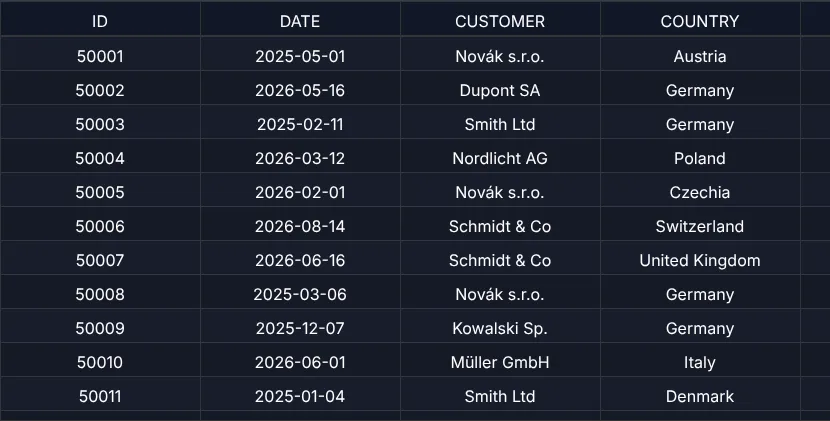
Compare that with the naive table of chapter 1 (Why big tables freeze):
| Naive <table> | GuiExpert Table | |
|---|---|---|
| 100,000 rows – DOM elements | 1,200,014 | ≈ 1,150 |
| 100,000 rows – until the first paint | > 2 min | 0.16 s |
| 1,000,000 rows – until the first paint | – | 1.6 s (mostly creating the test data) |
Chromium headless on a Linux VM. Your numbers will differ – the ratio won't.
Only visible rows and visible columns end up in the DOM: of the eleven columns, about seven are rendered at 1,400 px width. Vertical and horizontal virtual scrolling are explained in chapter 2 (Virtual scrolling).
Talking to the table: the TableApi
TableScope.getApi() returns the TableApi – the one object you use from now on:
scrolling, sorting, filtering, copying, exporting.
const tableApi = tableScope.getApi();tableApi.scrollToIndex(0, 50_000); // column 0, row 50,000
TableApi.scrollToIndex() takes the column first, then the row. To make sure a row is visible without
jumping if it already is, use TableApi.ensureRowIsVisible().
Next
The same table without a bundler – as Web Component, straight from a CDN: chapter 6 (Web Component & CDN). Prefer a framework? Jump to chapter 7 (React), chapter 8 (Vue 3) or chapter 9 (Angular 14–22).